Low-code platform
Low-code platform: business teams build, IT approves
Workflows, apps and forms via drag-and-drop or with AI at your side. No ticket, no project lasting weeks. And IT still has the final say.
BITMi member · Software Made in Germany · GDPR-compliant · Audit-proof · For SMEs to large enterprises
What is a low-code platform?
With a low-code platform, applications and processes are created in a graphical interface instead of program code. You drag ready-made building blocks into a process, connect them and define who may fill in, review and approve what.
Unlike no-code tools, low-code does not hit a fixed limit with complex requirements: where a building block is missing, IT adds an interface or a script. And unlike traditional software development, this does not require projects lasting months.
What matters in a company is that speed and control go together: business teams should be able to build themselves without creating shadow IT.
Who is FLOWSTER made for?
Business teams
Build forms, apps and simple processes yourself – via drag-and-drop or with AI, without waiting for an IT project.
IT
Manage building blocks, roles and approvals centrally. IT decides what goes live and keeps every interface in view.
Management
Costs, lead times and evidence at a glance – with dashboard and workflow statistics.
What you build with FLOWSTER
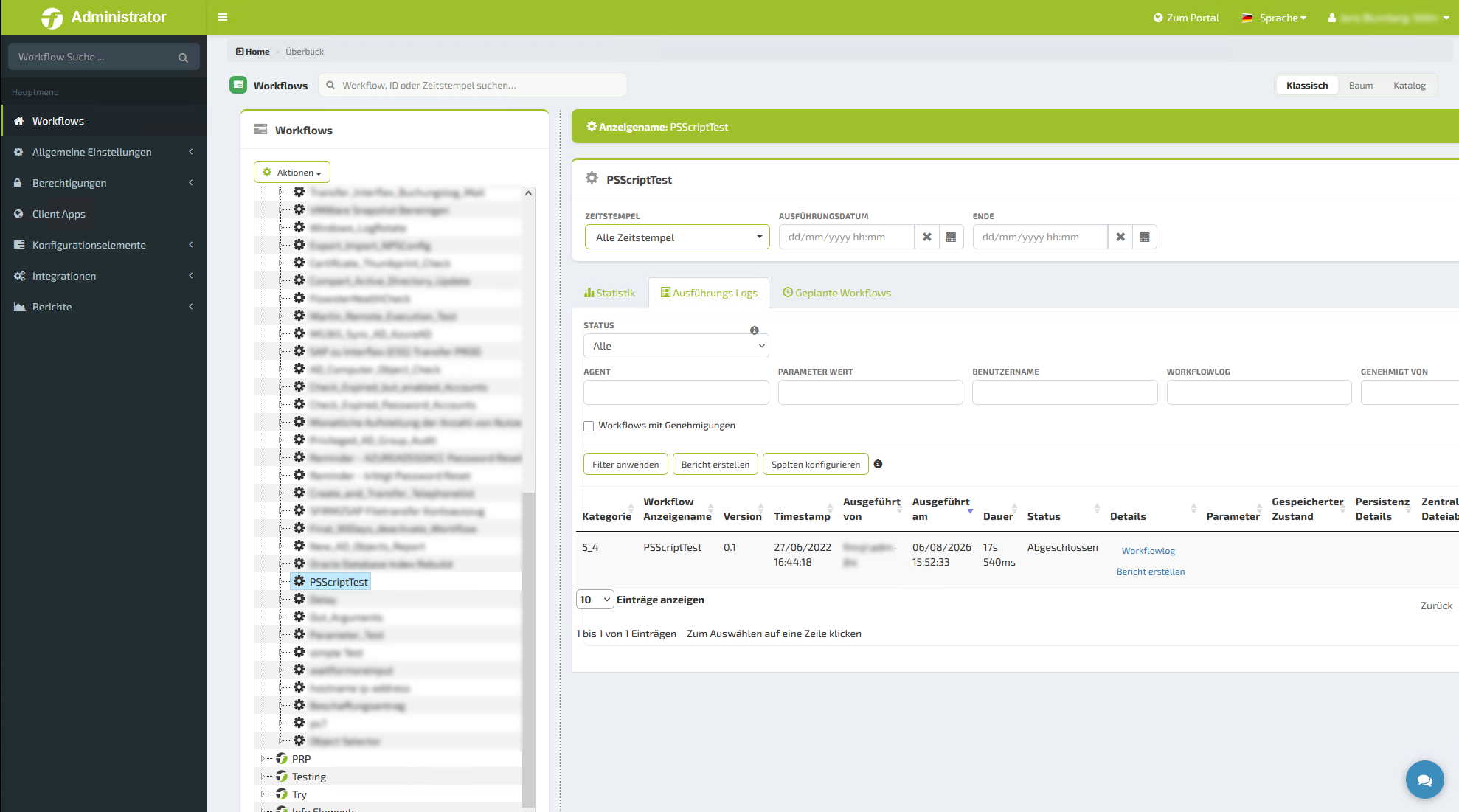
Workflows with FLOWSTER Studio
The proven low-code platform for deterministic IT workflows: assemble processes in the designer and connect around 2,000 verified building blocks.
Explore FLOWSTER Studio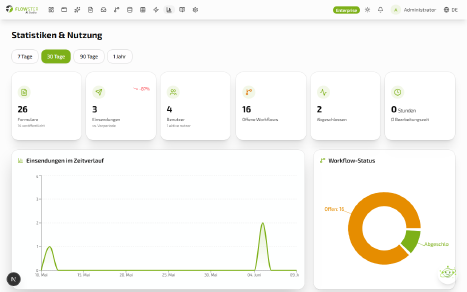
Apps & forms with FLOWSTER AI Studio
Describe what you need – the AI creates forms, apps and workflows that you then adjust and approve.
Explore FLOWSTER AI Studio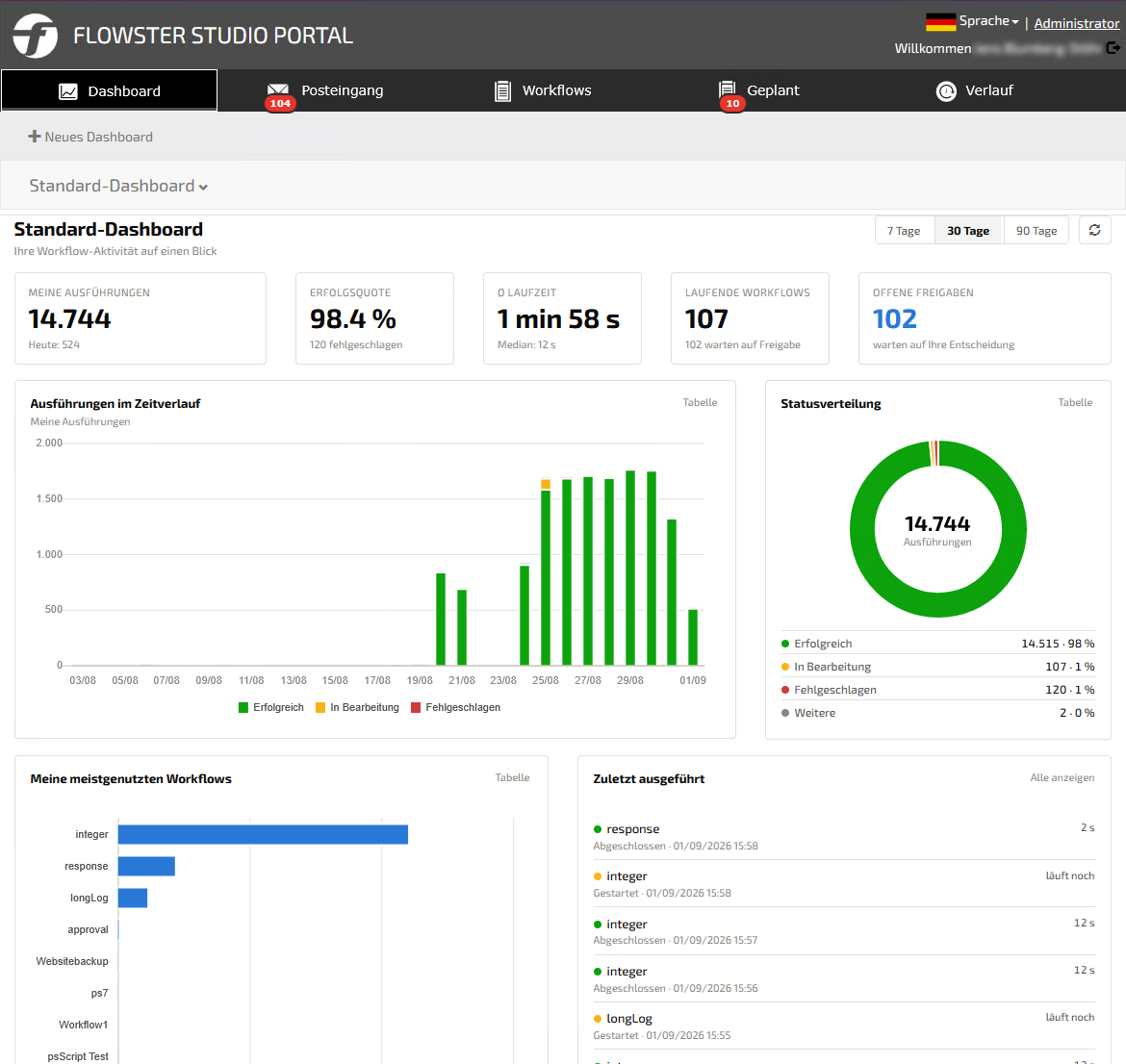
Self-service portal
Your employees start workflows via catalog and forms, see their inbox and track the status – all in one place.
More about the portalGovernance instead of shadow IT
Low-code only works in a company if IT stays in control. That is why these functions are built into FLOWSTER from the start:
Roles & permissions
Who may build, who may start, who may approve – finely graded.
Approval process
New workflows and apps only go live once IT has reviewed them.
Audit-proof logs
Every step, every access and every use is documented automatically.
Verified interfaces
Verified by us, recorded in our software bill of materials (SBOM) and kept up to date in the background.
FLOWSTER, n8n or Power Automate: who can work with it?
n8n is a popular tool for technical teams, Power Automate relies on the Microsoft cloud. FLOWSTER is built so that business teams can work on their own too – with IT as the approving authority.
| FLOWSTER | n8n | Power Automate | |
|---|---|---|---|
| Who builds? | Business teams and IT together – via drag-and-drop or with AI | Mainly technical teams and developers | Microsoft 365 users, often with IT support |
| Apps & forms | Apps, forms and self-service portal integrated | Forms available, no complete self-service portal | Forms and apps via Microsoft Forms or Power Apps (separate licence) |
| Role and permission management | Approval process and complete role and permission management in every edition, including service users | Role and permission management depending on plan (projects, roles, custom roles from Enterprise) | Permissions via Microsoft environments and Power Platform security roles |
| Operation | On-premises or in your own cloud | n8n Cloud or self-hosted Community Edition | Microsoft cloud; on-premises systems only via a data gateway |
| Workflow limits | No limits on runtime or frequency – in every edition | Cloud plans based on monthly workflow executions | Licence per user or per flow, daily request quotas |
Who builds?
Apps & forms
Role and permission management
Operation
Workflow limits
Information on n8n according to n8n.io, on Power Automate according to Microsoft documentation, as of October 2026. No liability assumed.
In practice: Investitionsbank Berlin
90%
less load on internal IT – plus 50% time saved with external service providers
Read the case studyWhich processes you can automate with FLOWSTER is explained on our process automation page; how workflows run reliably in operation is covered on the workflow automation page.
Frequently asked questions about the low-code platform
What is a low-code platform?
A low-code platform is software that lets you assemble applications and processes in a graphical interface instead of programming them. Ready-made building blocks do the technical work; custom code is only needed in special cases.
Do I need programming skills?
No. Workflows, apps and forms are created via drag-and-drop or with AI support in FLOWSTER AI Studio. If you want, you can also add your own scripts.
What is the difference between low-code and no-code?
No-code works entirely without programming but quickly reaches its limits with complex processes. Low-code offers the same simple interface and additionally allows scripts and interfaces. FLOWSTER combines both: simple for business teams, extensible for IT.
Who may build what in FLOWSTER?
You define that via roles and permissions. Typically, business teams build forms and apps, while IT provides building blocks and approves new workflows before they go live.
Does FLOWSTER run in the cloud or on our premises?
You run FLOWSTER on-premises or in your own cloud. Your data stays in your environment.
What does the FLOWSTER low-code platform cost?
You can start with the free edition: 5 workflows included, all connectors, all features. Prices for larger environments are listed on our pricing page.
Can SAP and Salesforce be connected?
Yes. Besides common IT systems, directory services and ITSM solutions, you can also connect business applications such as SAP and Salesforce. Everything else connects via REST, webhooks or scripts.
Live webinar · 23 November 2026 · 1:30 – 2:10 pm
FLOWSTER AI Studio: Create forms, apps & workflows with AI