Workflow automation
Workflow automation that runs reliably
From trigger to log: workflows with approvals, error handling routines and no limits on runtime or frequency. Developed in Germany, operated by you.
BITMi member · Software Made in Germany · GDPR compliant · Audit-proof · For mid-market to enterprise
What is workflow automation?
A workflow is a fixed sequence of steps: a request comes in, is reviewed, approved and implemented in several systems. Workflow automation makes sure this flow keeps moving on its own – without anyone forwarding emails, retyping data or chasing up where something is stuck.
In a company, reliability matters most: a workflow has to react cleanly even when a system does not respond or an approval takes days. And every step has to be traceable later on.
How a workflow is built in FLOWSTER
1. Trigger
A form, a schedule, a webhook or an event in a connected system starts the workflow.
2. Steps & conditions
Building blocks perform actions, conditions branch the flow – depending on data, role or result.
3. Approvals
Where a person has to decide, the workflow waits for approval – for hours or days, without a time limit.
4. Error handling routines
Error handling routines can be built into every workflow. You decide what happens when a system does not respond.
5. Logging & analytics
Every step is logged in an audit-proof way. Dashboard and workflow statistics show what is running and where things get stuck.
All in the FLOWSTER Studio designer
Explore FLOWSTER StudioKeep track of your workflows
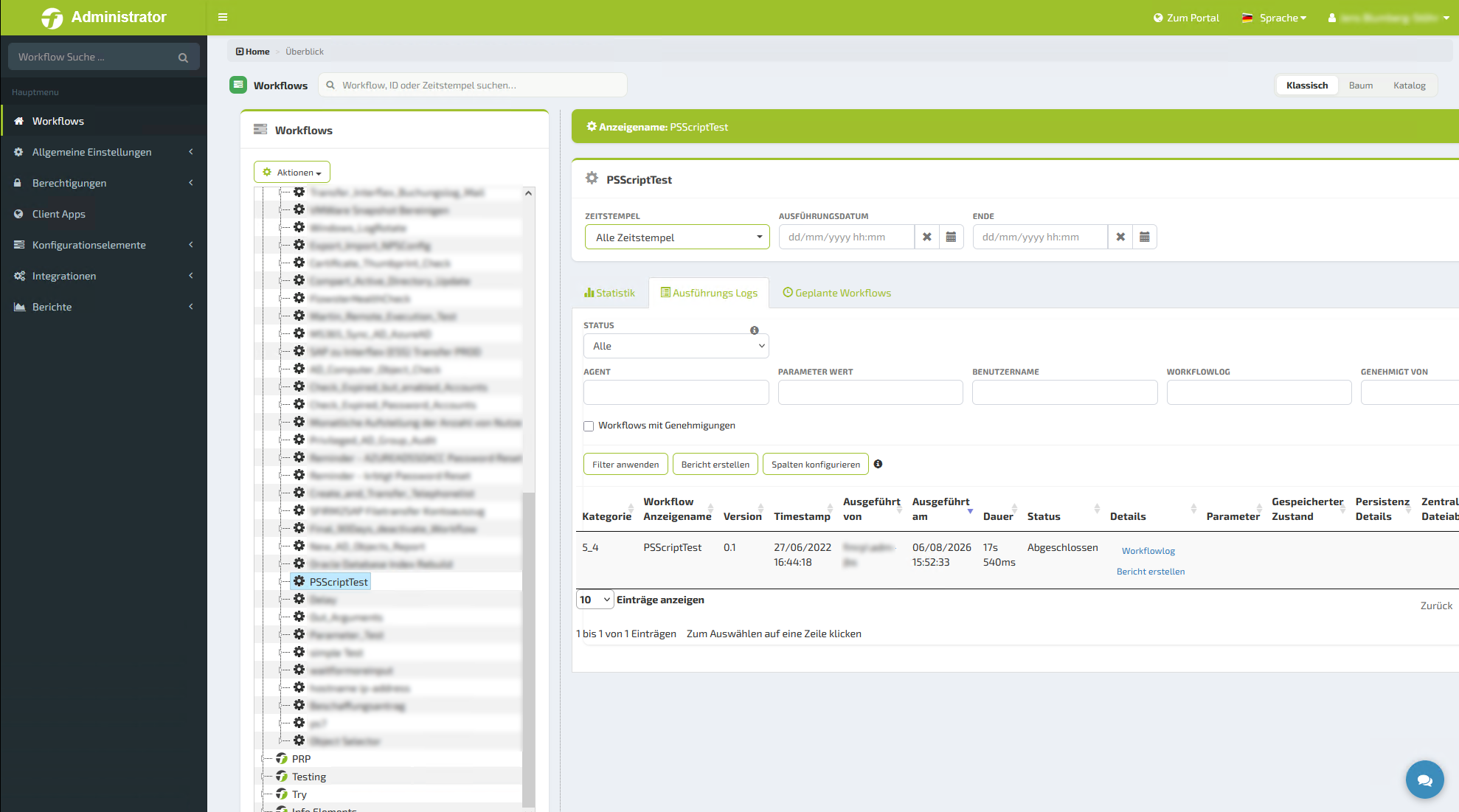
Workflow tree with log
Every step and every error can be traced in the workflow log.
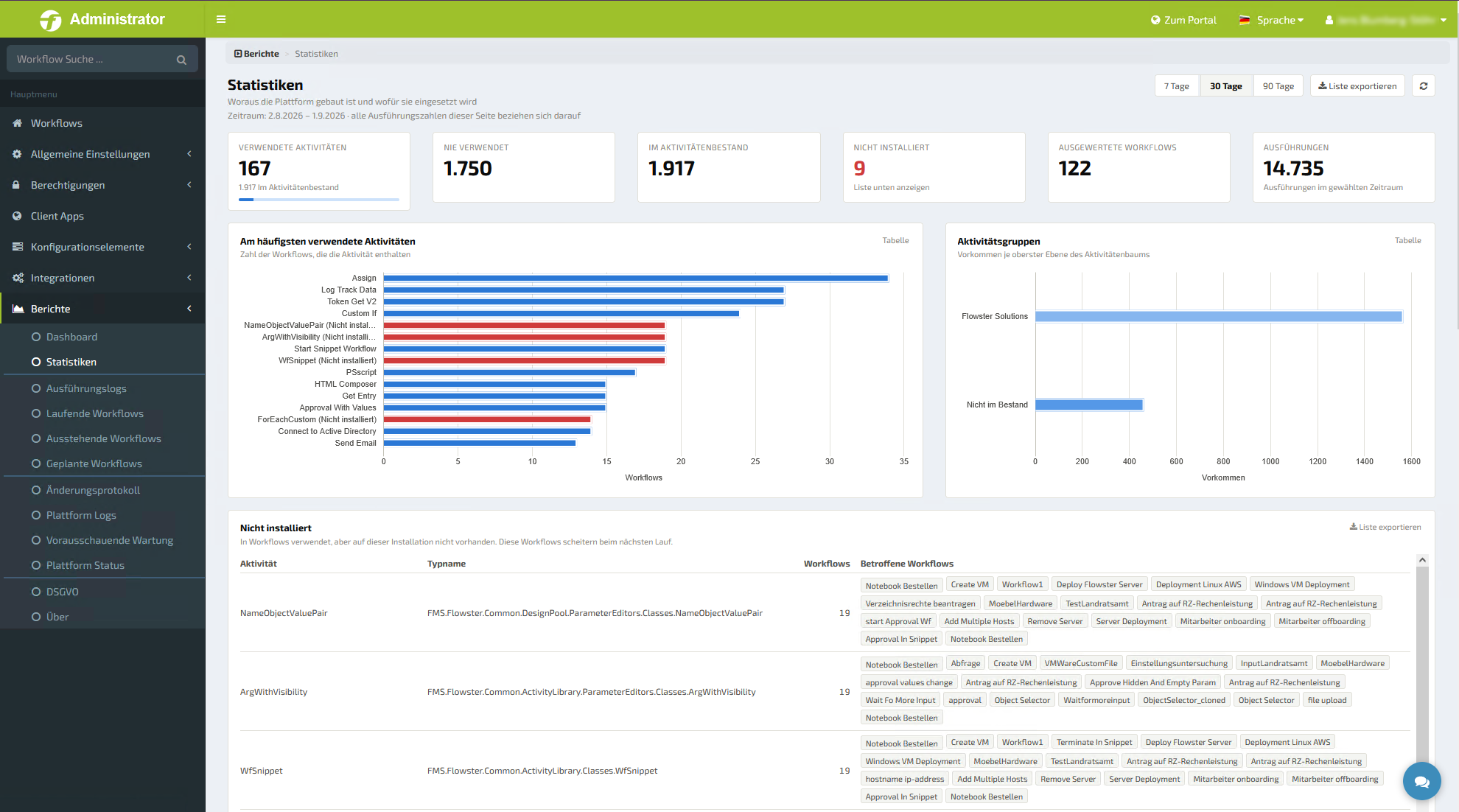
Workflow statistics
Executions, runtimes and results at a glance.
Examples from everyday IT
Onboarding new employees
HR form → account in the directory service → licenses and groups → approval by the manager → notification to everyone involved.
Access request with approval
Request in the self-service portal → role check → approval by the data owner → set permissions → recertification after a deadline.
Data center maintenance
Schedule starts → create snapshot → install updates → check services → on errors, roll back and notify the operations team.
Which other processes you can automate is explained on our page about process automation.
FLOWSTER, n8n or Power Automate: what matters in operation?
All three automate workflows. The difference shows when flows run for a long time, start frequently and involve human decisions.
| FLOWSTER | n8n | Power Automate | |
|---|---|---|---|
| Runtime | No limits – a workflow may run for 3 minutes or 3 days | Depends on plan and deployment type | Cloud flows run for a maximum of 30 days |
| Frequency | No limits on the number of executions – in every edition | Cloud plans based on monthly workflow executions | Daily request quotas depending on license |
| Human approvals | Approvals and inbox integrated in the self-service portal | Possible via wait states and external tools | Approvals via Teams and Outlook |
| Integrations | Around 2,000 building blocks verified and maintained by us, recorded in the SBOM | Large selection, often maintained by the community | Standard and premium connectors, premium only with an additional license |
| Deployment | On-premises or in your own cloud | n8n Cloud or self-hosted Community Edition | Microsoft cloud; on-premises systems only via a data gateway |
Runtime
Frequency
Human approvals
Integrations
Deployment
Information on n8n according to n8n.io, on Power Automate according to Microsoft documentation, as of October 2026. No guarantee.
In practice: SAC
5,000
admin hours saved per year through automated workflows
All case studiesFAQ on workflow automation
What is workflow automation?
Workflow automation means that a multi-step flow – such as request, review, approval and implementation – moves from system to system on its own instead of being passed along by email and by hand.
What is the difference between workflow and process automation?
A process describes the big picture, such as onboarding. A workflow is the concrete, technically executed flow within it: which steps run in which order, with which conditions and approvals.
What happens if a step fails?
Error handling routines can be built into every FLOWSTER workflow. You decide how the flow reacts, and every step can be traced in the log.
How are workflows started?
Via forms and the catalog in the self-service portal, on a schedule, by webhook or REST call, and by events in connected systems.
Are there limits on runtime or number of executions?
No. Runtime and frequency of your workflows are unlimited in every edition, including the free one.
How quickly is a first workflow automated?
In a few hours instead of days or weeks.
Which systems can be connected?
Around 2,000 verified building blocks cover common IT systems, directory services, ITSM solutions, hypervisors and business applications such as SAP and Salesforce. Anything else you connect via REST, webhooks or scripts.
Which workflow will you automate first?
Start for free with 5 workflows or get to know FLOWSTER in the next webinar.