Process automation
Process automation that relieves your IT instead of burdening it
Automate recurring processes: from on- and offboarding to data center maintenance. Developed in Germany, operated by you.
BITMi member · Software Made in Germany · GDPR compliant · Audit-proof · For mid-market to enterprise
What is process automation?
Process automation means software takes over recurring, rule-based processes: a request comes in, is checked, approved and carried out in the connected systems – without anyone copying data from one window to the next.
Unlike individual scripts, an automation platform covers the entire process: with forms, approvals, permissions and a log of every step. And unlike pure RPA solutions that imitate clicks on the user interface, it works directly via interfaces. That makes processes stable, fast and auditable.
The result: less manual work, fewer errors, shorter waiting times – and an IT team that has time for its actual tasks again.
Which processes can be automated?
On- & offboarding & recertification
Create accounts, permissions and access automatically, recertify them regularly and revoke them again – fully logged.
Learn moreIT service & access requests
Requests via form, approval by managers, implementation without manual ticket ping-pong.
Learn moreData center & infrastructure
Provision VMs, plan maintenance windows, trigger patches and backups – e.g. with Proxmox.
Learn moreInformation security (ISMS)
Every access and every use is logged automatically. This lets you prove controls and evidence for ISO 27001 and NIS 2 without extra effort.
Learn moreConnecting ERP & CRM
Connect SAP, Salesforce and other business applications: sync data and trigger processes across systems – without duplicate entries.
Learn moreQuality management (QMS)
Control inspection and approval processes, document management and actions in a traceable way.
Learn moreReal-world results
USU
90 %
time saved on on- & offboarding
75 % faster license processing, 7 FTEs saved
Read case studySAC
5,000
admin hours saved per year
through automated IT routine tasks
Read case studyInvestitionsbank Berlin
90 %
relief for internal IT
50 % time saved with external service providers
Read case studyHow process automation works with FLOWSTER
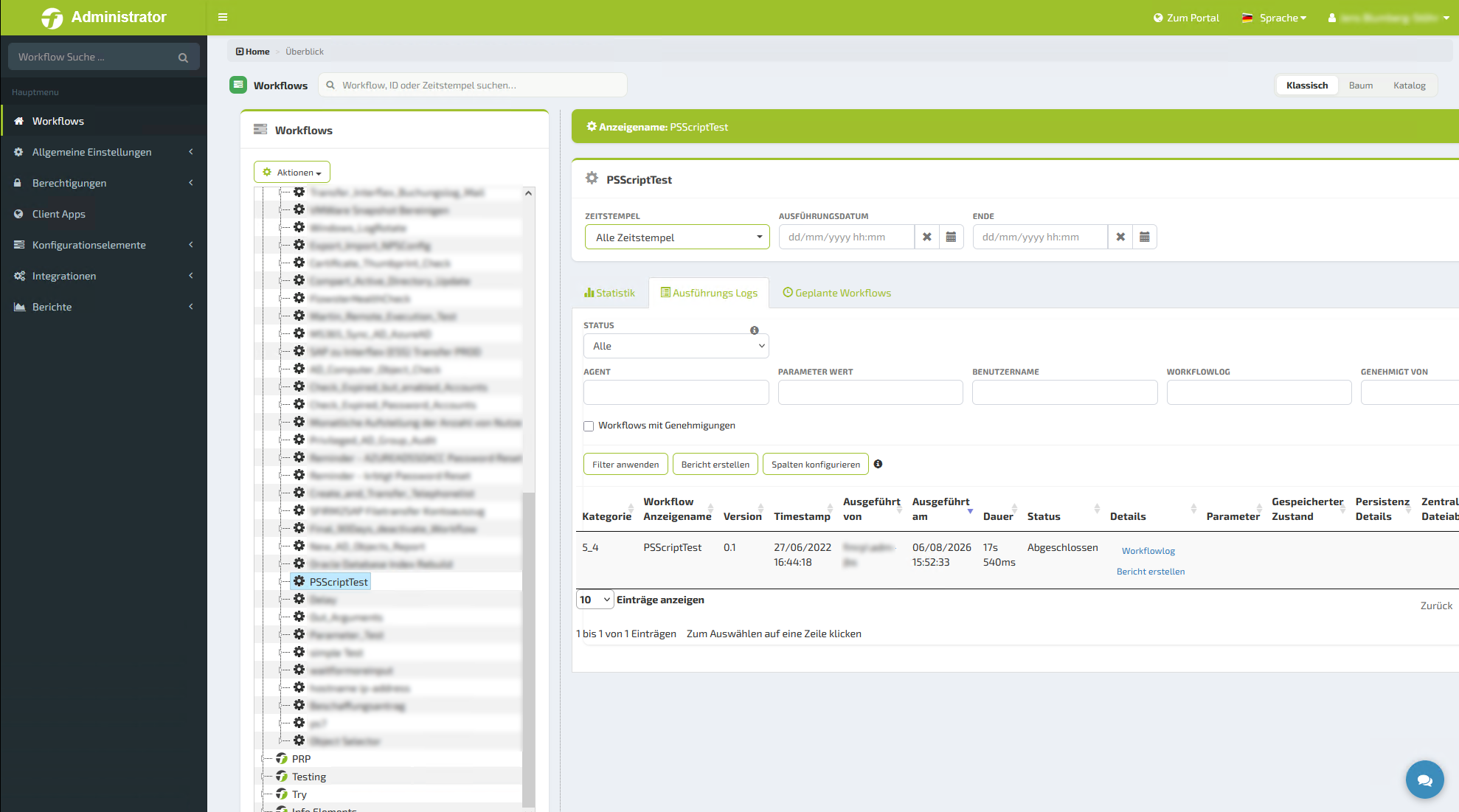
Step 1
Build the process
Drag and drop in the designer or with AI at your side – no programming skills required.
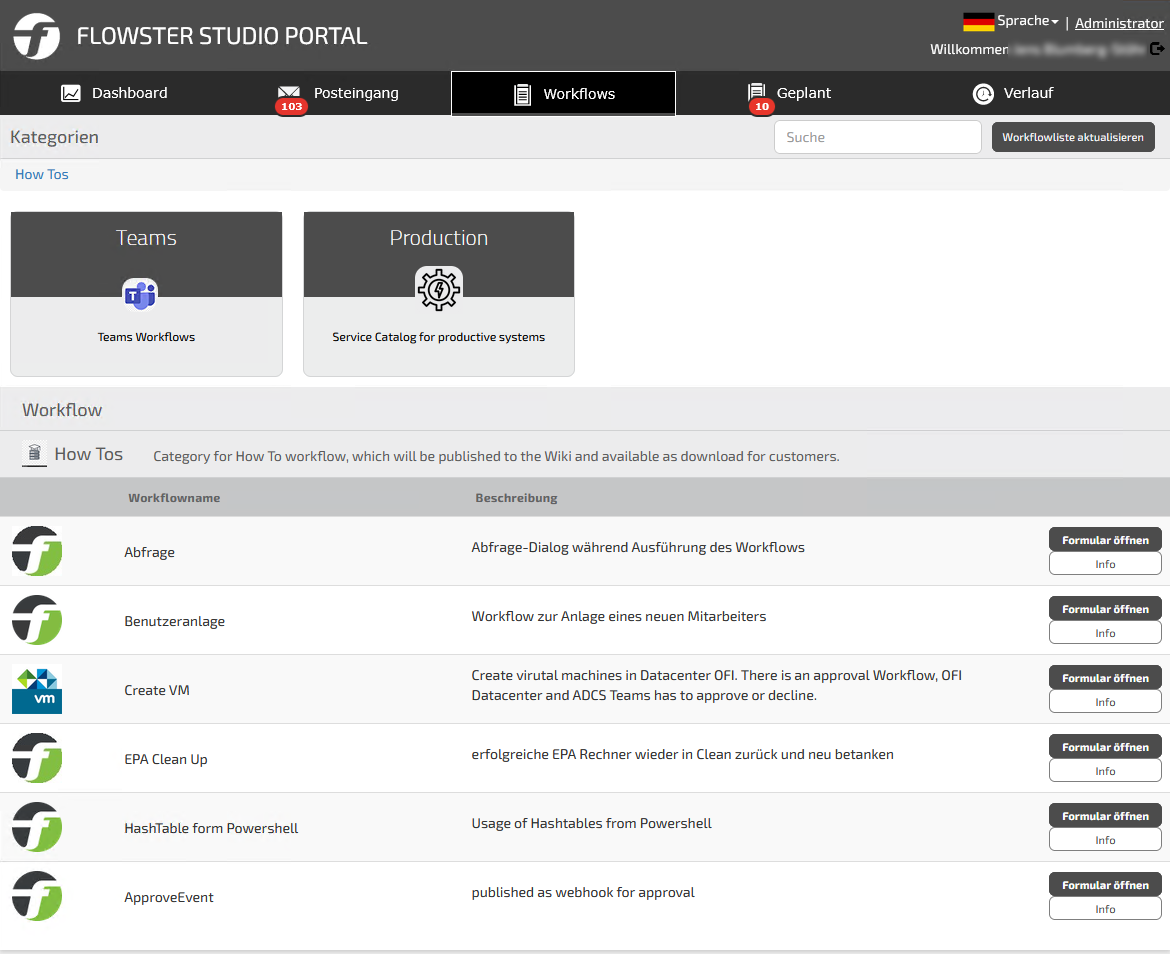
Step 2
Connect building blocks
Around 2,000 verified building blocks for your systems. Anything missing can be connected via REST, webhooks or scripts.
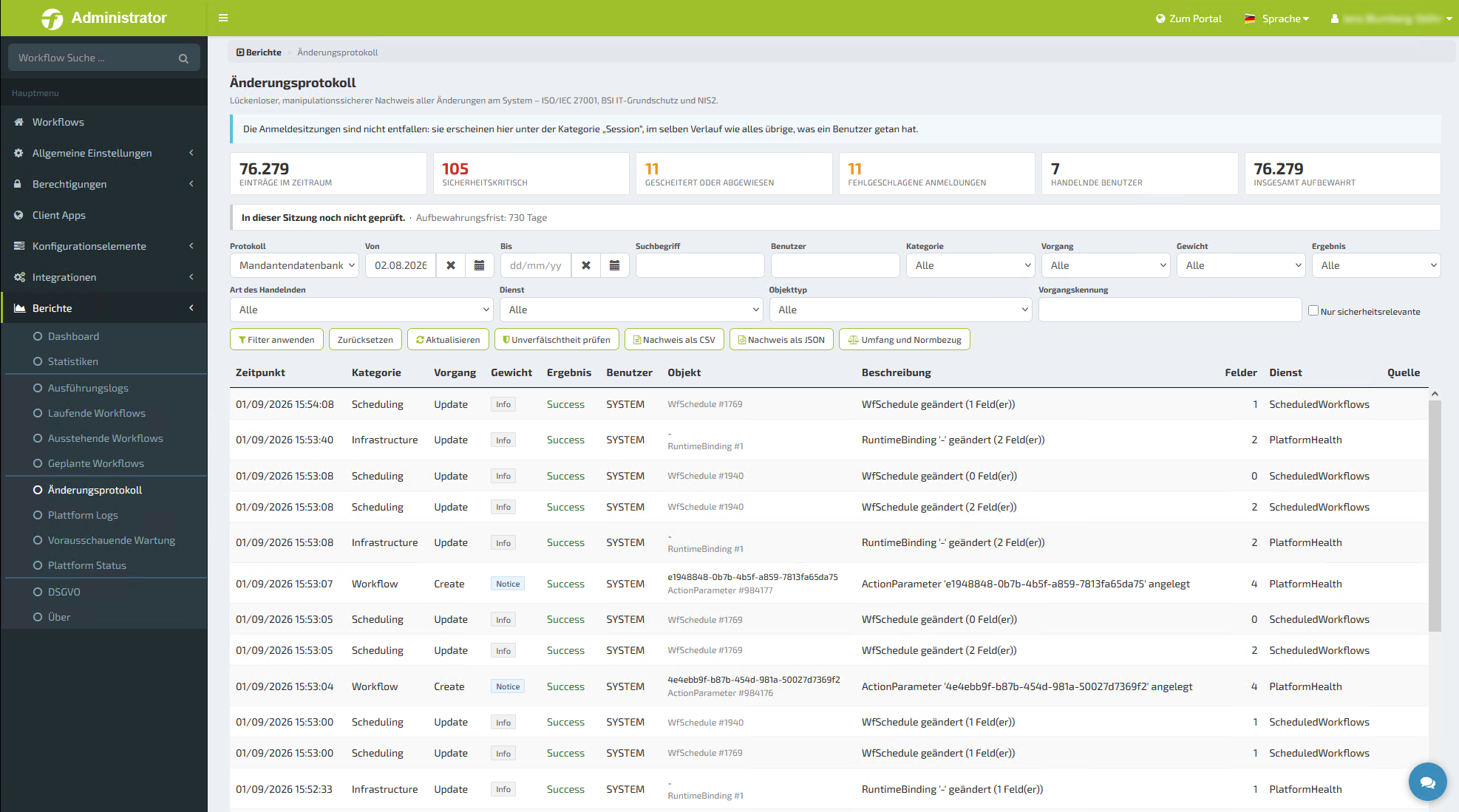
Step 3
Define approvals & permissions
Roles, approvals and audit-proof logging are built in from the start.
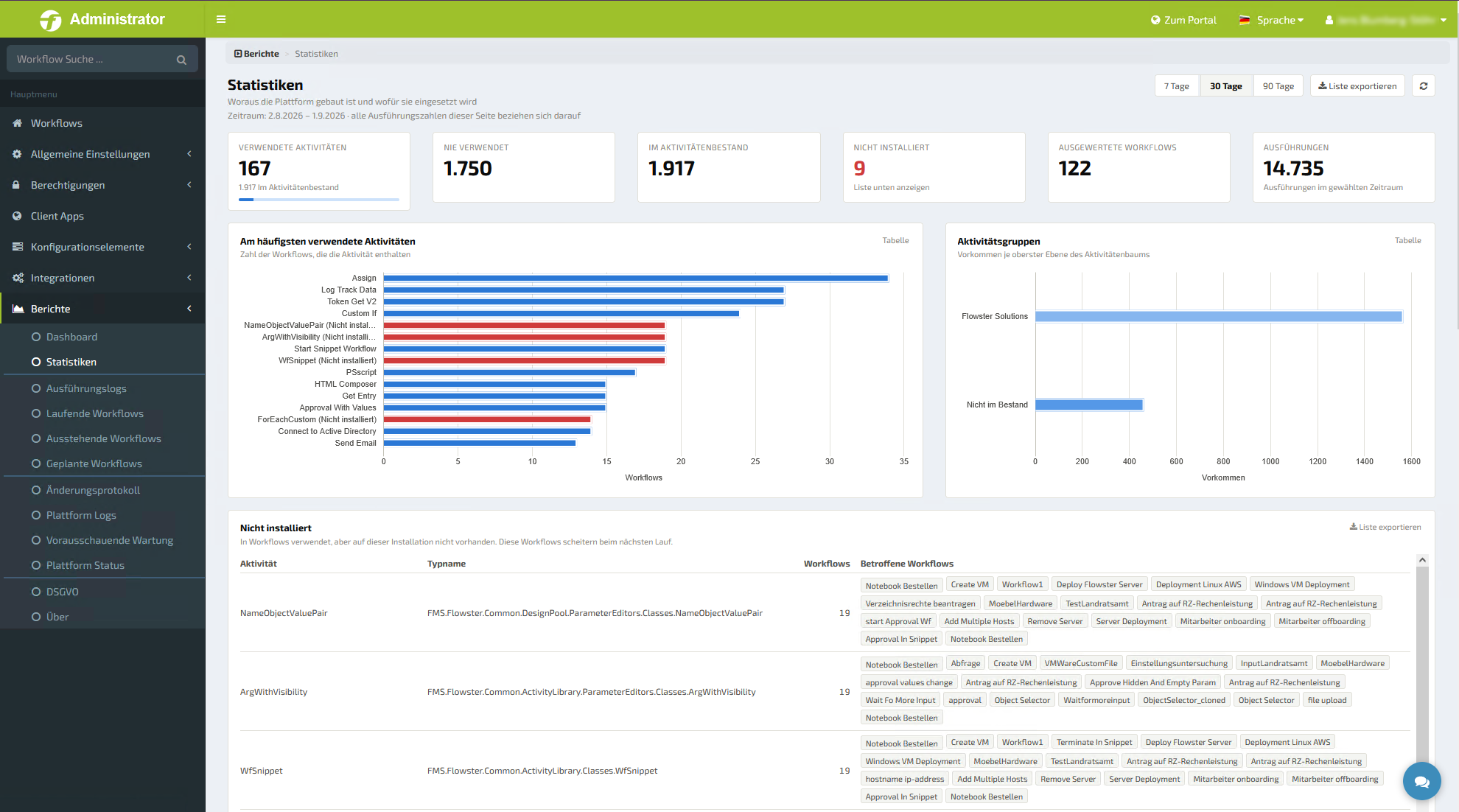
Step 4
Launch & analyze
Dashboard and workflow statistics show what runs, how often and for how long.
FLOWSTER or n8n: what matters when choosing
n8n is a popular automation tool for technical teams. FLOWSTER is designed for companies where IT and business departments automate together – with approvals, evidence and operation in their own environment.
| FLOWSTER | n8n | |
|---|---|---|
| Target group | IT and business departments together – departments build, IT approves | Technical teams and developers |
| Operation | On-premises or in your own cloud | n8n cloud or self-hosted Community Edition |
| Billing | No limits on runtime and frequency – in every edition | Cloud plans based on monthly workflow executions |
| License | Commercial license with clear usage rights | Sustainable Use License (fair-code) with restrictions on commercial redistribution |
| Connectors | Verified by us, recorded in the SBOM and kept up to date in the background | Large selection of nodes, partly maintained by the community |
| Self-service portal | Integrated: forms, catalog, inbox, approvals | Forms available, no full self-service portal |
| Vendor & support | Development and support from Germany, BITMi member | Vendor based in Berlin; SLA support in the Enterprise plan |
Target group
Operation
Billing
License
Connectors
Self-service portal
Vendor & support
Information on n8n according to n8n.io (pricing and license), as of October 2026. No guarantee.
Is it worth it for us?
Calculate your savings potential in two minutes – or let us analyze your ticket backlog.
Frequently asked questions about process automation
What is process automation?
Process automation means having software carry out recurring, rule-based processes – such as requests, approvals or creating user accounts – instead of doing them by hand. This saves time, prevents errors and makes every step traceable.
What does process automation with FLOWSTER cost?
You can start with the free edition: 5 workflows included, all connectors, all features. Prices for larger environments are on our pricing page.
Do I need programming skills?
No. Workflows, apps and forms are created by drag and drop or with AI support in FLOWSTER AI Studio. If you like, you can also add your own scripts.
Does FLOWSTER run in the cloud or on our premises?
You run FLOWSTER on-premises or in your own cloud. Your data stays in your environment.
How quickly is a first process automated?
In a few hours instead of days or weeks. Ready-made building blocks and templates do most of the work for you.
Which systems can be connected?
Around 2,000 verified building blocks cover common IT systems, directory services, ITSM solutions, hypervisors and business applications such as SAP and Salesforce. Anything else can be connected via REST, webhooks or scripts.
Does FLOWSTER help with NIS 2 and DORA?
Yes. Every workflow step is logged in an audit-proof way, and all connectors are recorded in our software bill of materials (SBOM). This makes the evidence required by NIS 2 and DORA easier to provide.
What is the difference between FLOWSTER Studio and AI Studio?
FLOWSTER Studio is the proven low-code platform for deterministic IT workflows. FLOWSTER AI Studio creates forms, apps and workflows with AI support. Both can be used individually or combined.
Which process will you automate first?
Start for free with 5 workflows or get to know FLOWSTER in our next webinar.