Crisis Management That Truly Works – When It Matters Most
How FLOWSTER and Stiller Alarm turn chaos into structure together.
Imagine: it is 11:23 a.m.
An armed person is reported in the entrance area of your main building.
What happens in your organization in the next 60 seconds?
- Who alerts whom?
- Who triggers the lockdown?
- Who calls the police?
- Who informs the employees – and through which channel?
- Who coordinates the evacuation and checks completeness at the assembly points?
In most organizations, this is the moment chaos begins. Not because people are poorly prepared, but because crisis management without digital support is simply too slow, too uncoordinated and too undocumented when an emergency hits.
This is exactly where FLOWSTER Solutions and Stiller Alarm come in together.
What is the FLOWSTER Crisis Management Platform?
The FLOWSTER Crisis Management Platform is a web-based incident and emergency management solution that helps organizations handle crises in a structured, fast and fully traceable way.
It combines in a single, intuitive interface:
- Digital playbooks for predefined crisis scenarios
- Real-time coordination of teams and tasks
- Gapless documentation for compliance and governance
- Direct integration of external alerting systems
The platform is aimed at administrators, crisis managers and operators in companies, public authorities and institutions. Wherever every minute counts in an emergency.
Made in Germany. GDPR-compliant. ISO 27001-ready.
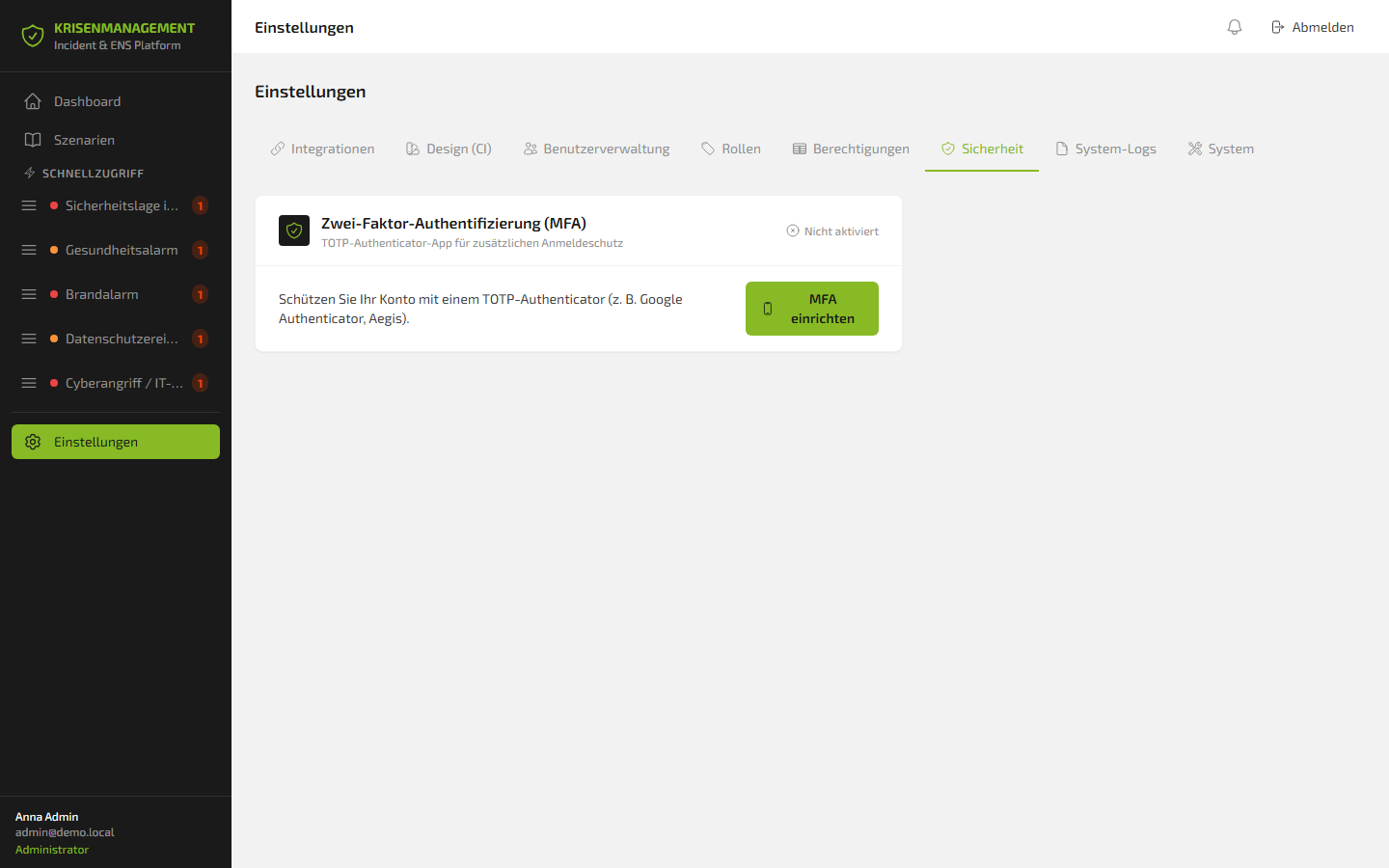
Access is secured by optional two-factor authentication (MFA/TOTP) – compatible with Google Authenticator, Aegis and all common authenticator apps.
The dashboard: the situational picture at a glance
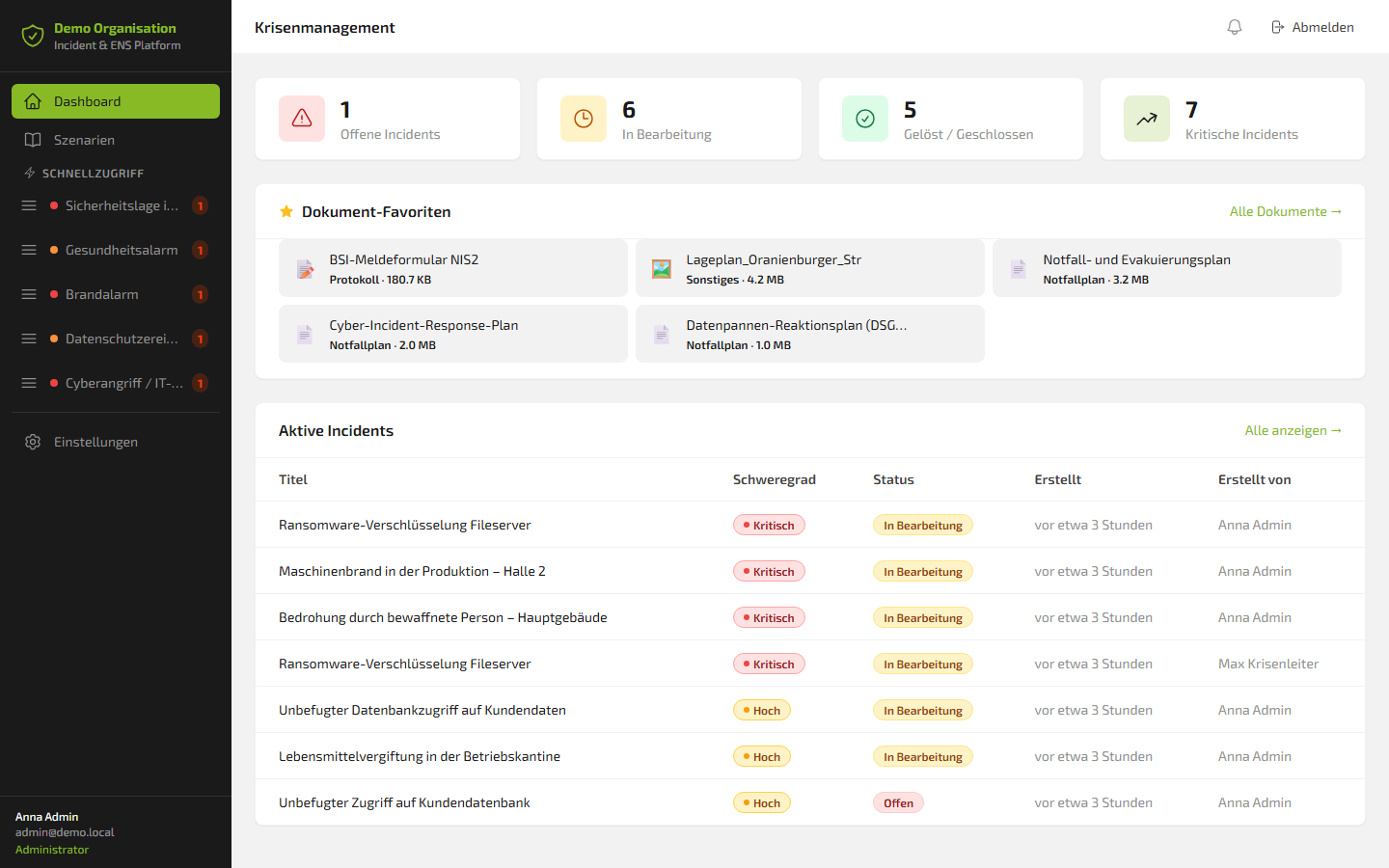
After login, the user lands on the central dashboard – the digital situational picture of the entire organization. It shows in real time:
- 🔴 Open incidents – newly reported events
- 🟡 In progress – actively coordinated crises
- 🟢 Resolved / Closed – completed incidents
- ⚡ Critical incidents – highest escalation level
The dashboard refreshes automatically every 30 seconds. No manual reload. No searching. The situational picture is always up to date.
Particularly valuable in an emergency: the favourite documents. Frequently needed materials – such as the BSI NIS2 reporting form, the cyber incident response plan or the data breach response plan – can be marked as favourites and are then accessible with a single click. No searching through folders, no time lost.
Five scenarios. Five crisis types. One platform.
The platform comes with five ready-to-use crisis scenarios, so-called playbooks, covering the entire spectrum of modern enterprise risks:
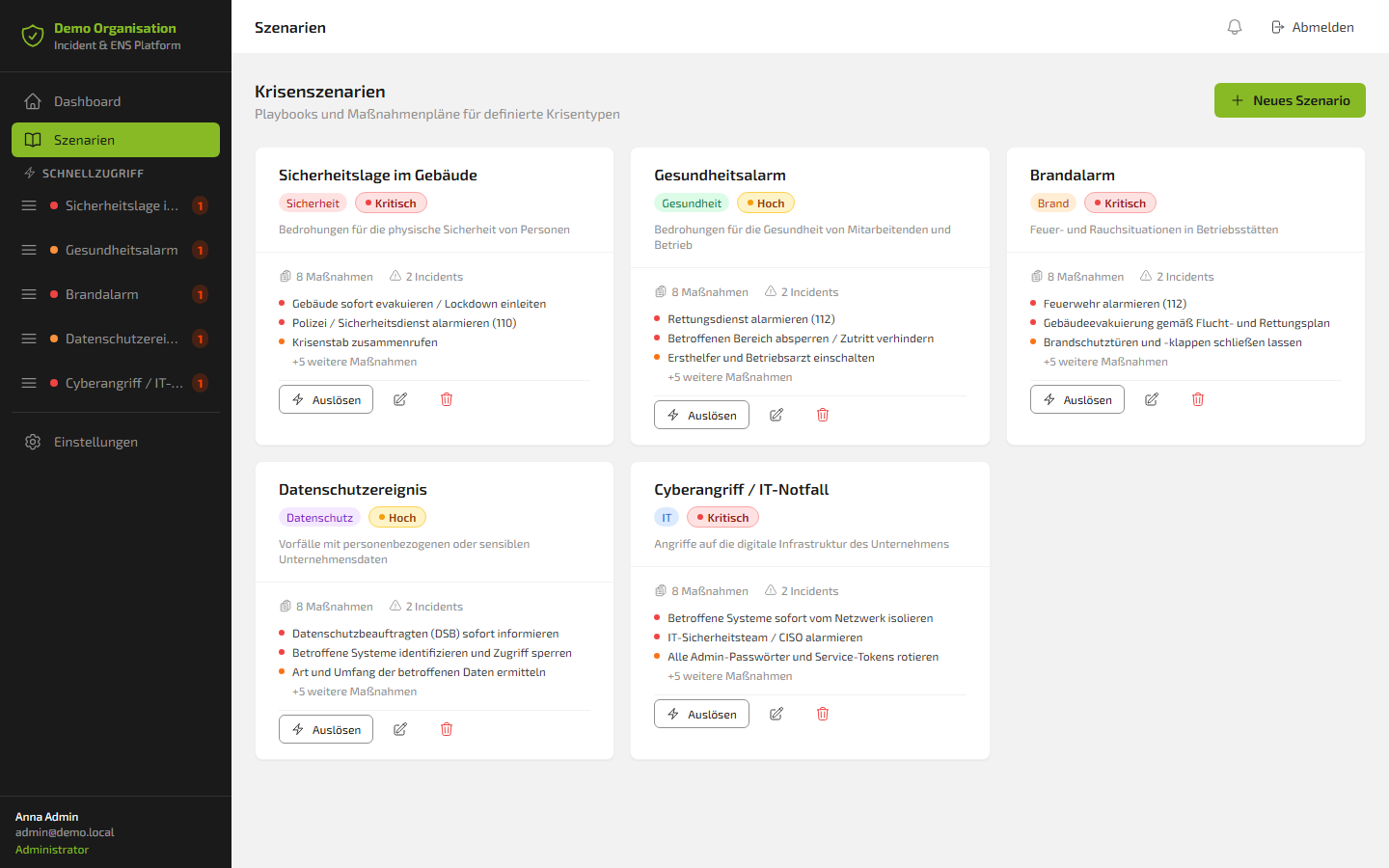
Building security situation
Category: Security
Health alert
Category: Health
Fire alarm
Category: Fire
Data protection event
Category: Data Protection
Cyberattack / IT emergency
Category: IT Security
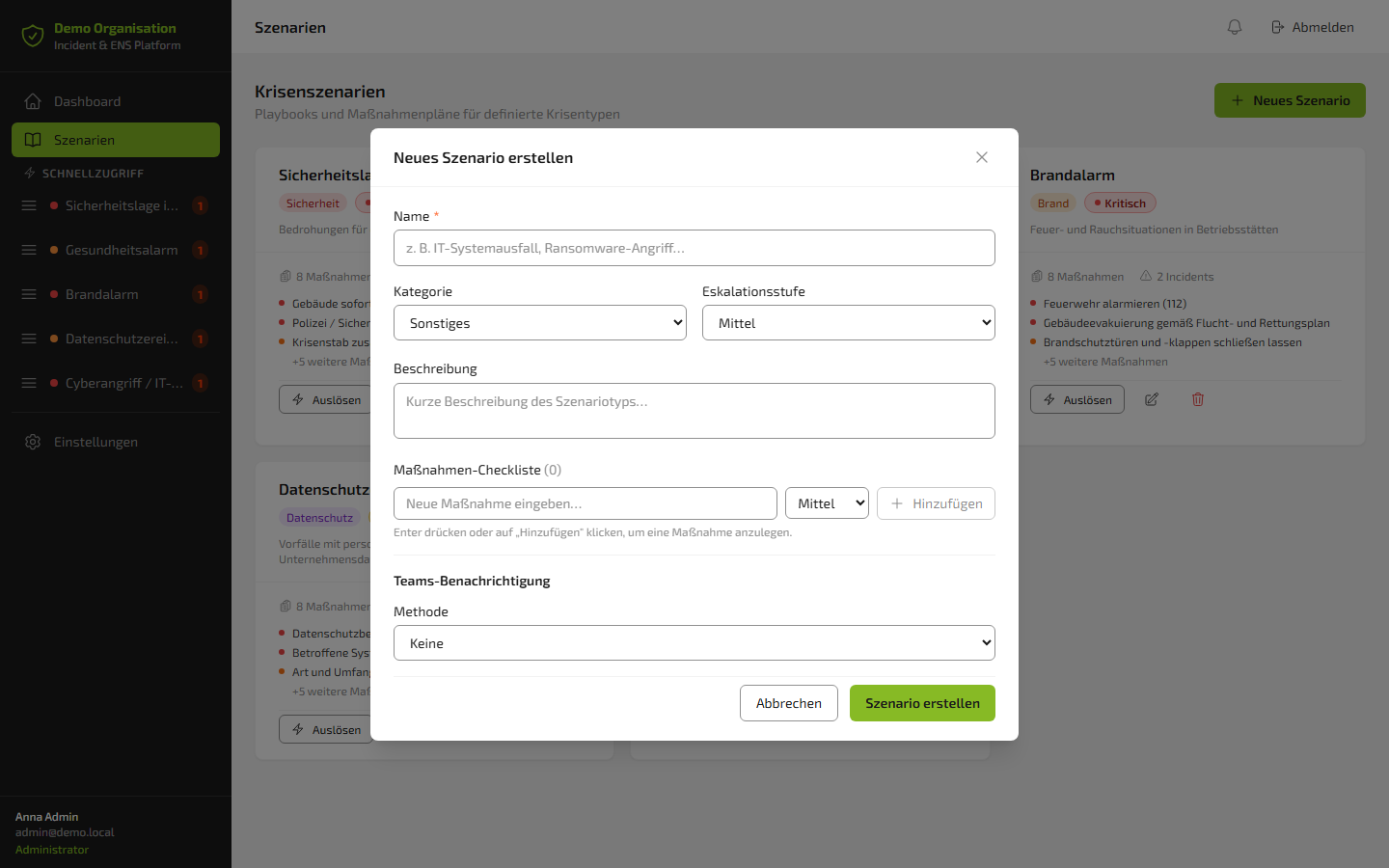
Each scenario is a fully preconfigured playbook. With prioritized measures, attached documents, defined contacts and clear responsibilities. New scenarios can be created and adapted in just a few minutes.
🔴 Scenario 1: Building security situation
Threats to the physical safety of people
The most critical of all scenarios – and at the same time the clearest example of how the entire platform works together:
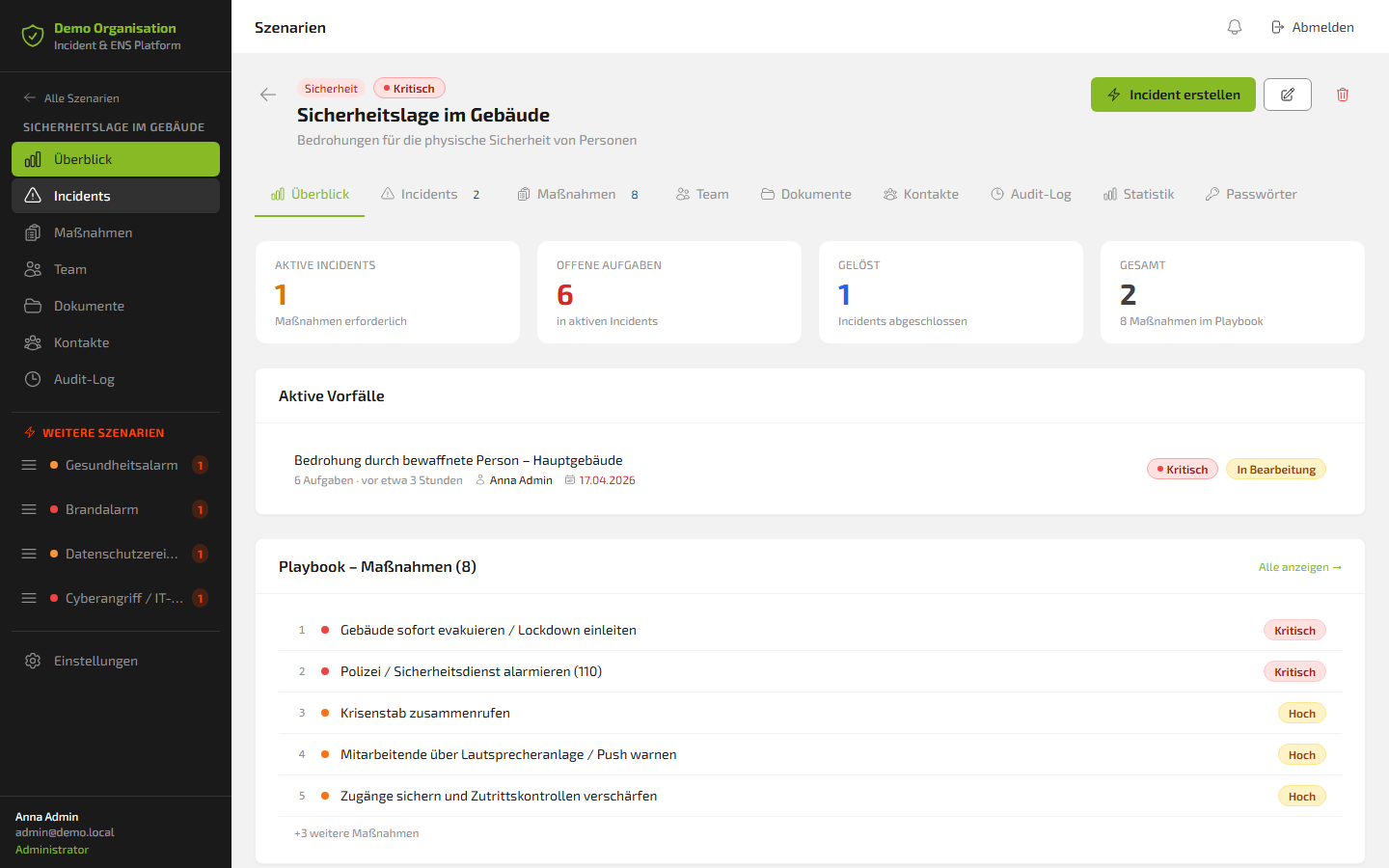
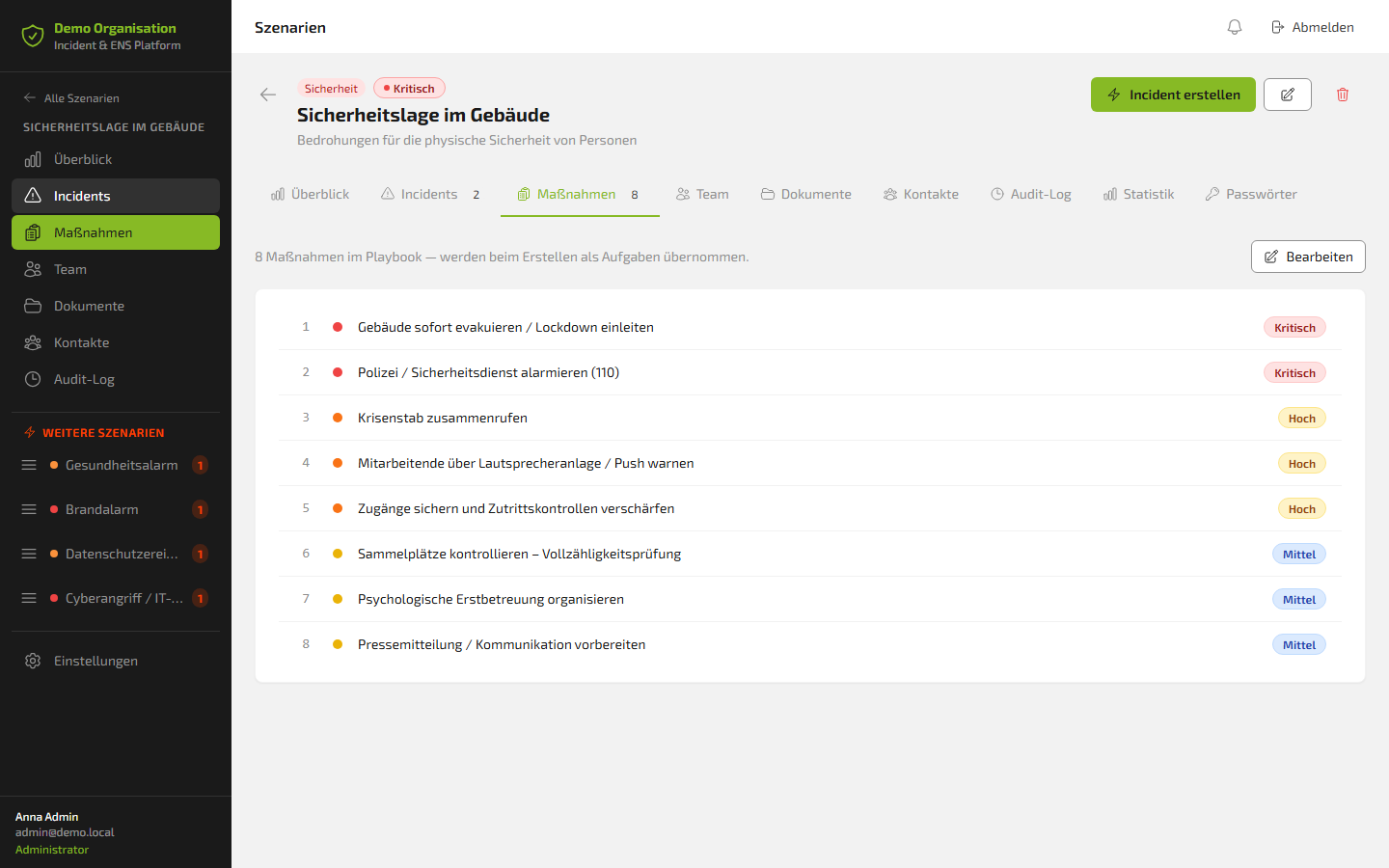
The playbook contains 8 prioritized measures that are automatically created as tasks when triggered:
- 🔴 Critical – Evacuate the building immediately / initiate lockdown
- 🔴 Critical – Alert police / security service (110)
- 🟡 High – Assemble the crisis team
- 🟡 High – Warn employees via PA system / push notification
- 🟡 High – Secure access points and tighten access control
- 🟠 Medium – Check assembly points / verify completeness
- 🟠 Medium – Organize psychological first aid
- 🟠 Medium – Prepare press statement / communication
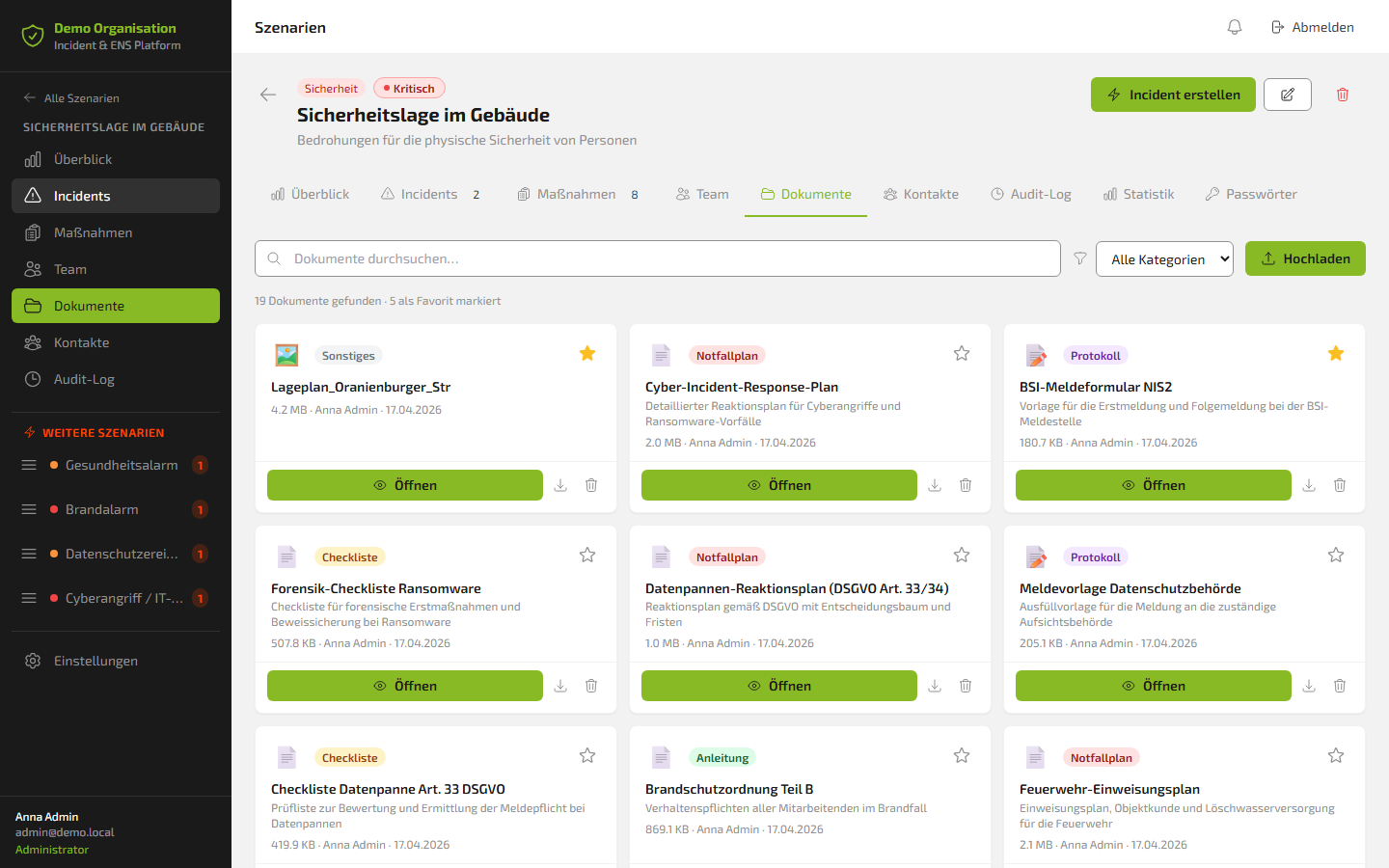
In the documents tab, 19 compliance documents are stored, 5 of which are marked as favourites:
- Site plan Oranienburger Str.
- Cyber incident response plan
- BSI NIS2 reporting form
- Forensics checklist – ransomware
- Data breach response plan (GDPR Art. 33/34)
- Reporting template for the data protection authority
- Fire safety regulations Part B
- Fire brigade briefing plan
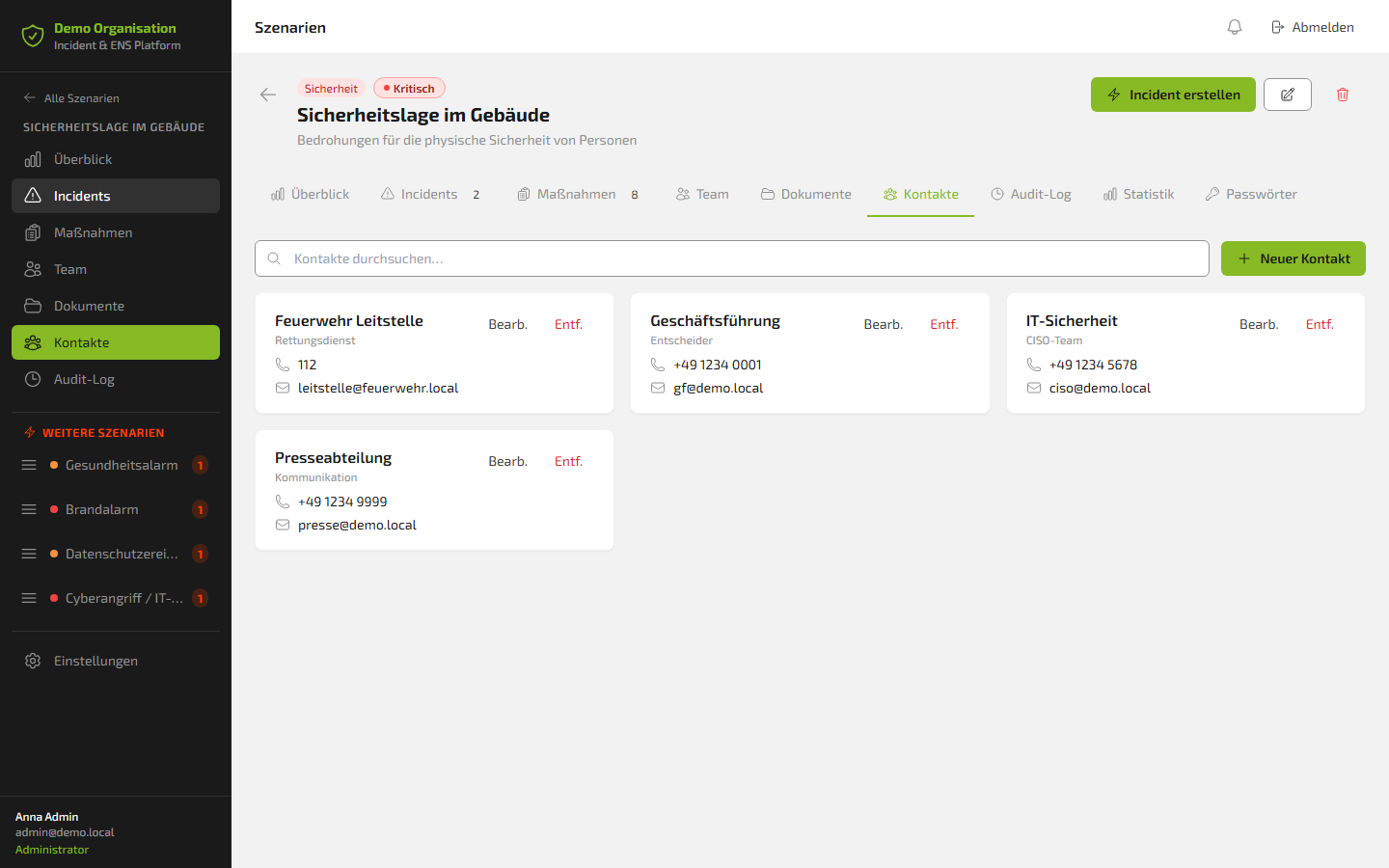
In the contacts tab, all relevant points of contact are stored with phone number and email – for immediate reachability.
- Fire brigade control centre (112) / emergency services
- Management / decision-makers
- IT security / CISO team
- Press / communications department
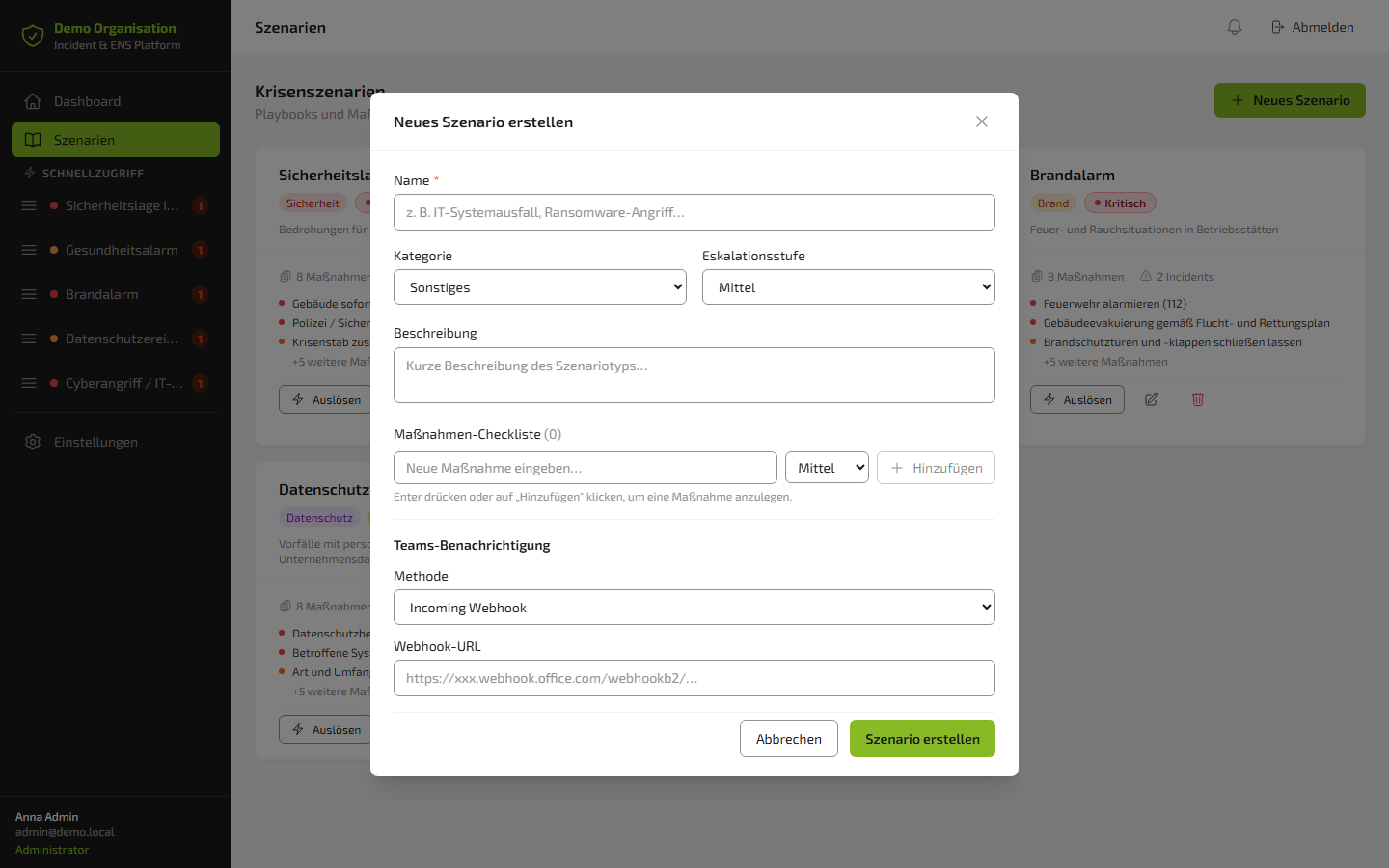
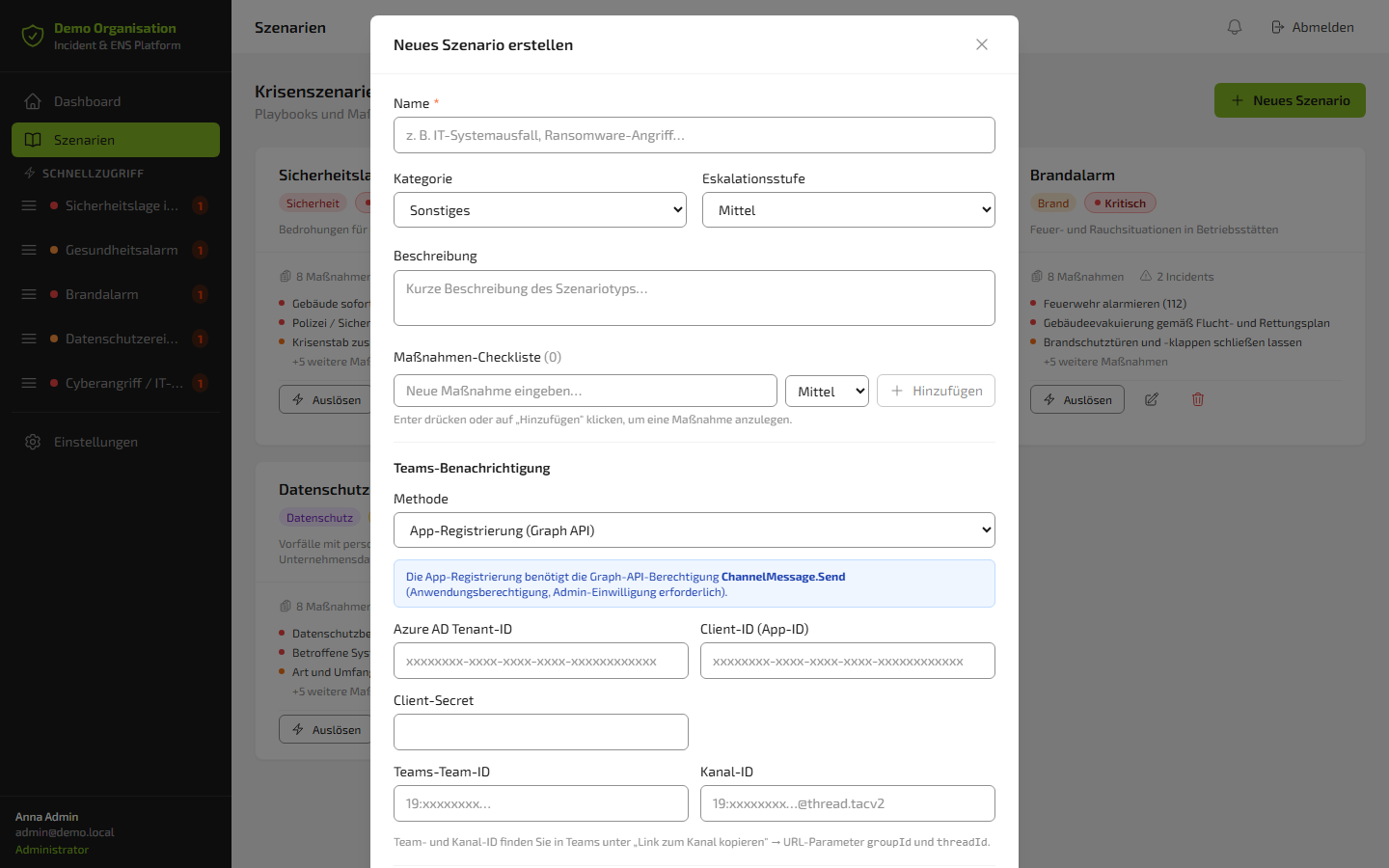
Teams notification: automatic on trigger
As soon as a scenario is activated, the platform notifies the configured team automatically. Three methods are available:
🟡 Scenario 2: Health alert
Threats to the health of employees and to operations
Medical emergencies, outbreaks, contaminations… The health alert scenario ensures that the right steps are initiated immediately in an emergency: alert the emergency services, cordon off affected areas, activate first responders, inform the workforce. All measures are predefined, all contacts are on file.
🔴 Scenario 3: Fire alarm
Fire and smoke situations on company premises
In a fire alarm, seconds count. The playbook orchestrates: alert the fire brigade, initiate evacuation, close fire doors, perform completeness checks at assembly points. The fire brigade briefing plans and fire safety regulations are attached directly to the scenario as documents.
🟡 Scenario 4: Data protection event
Incidents involving personal or sensitive company data
A data leak, unauthorized access, a lost device with customer data – the data protection scenario covers everything that is reportable under GDPR Art. 33/34. The playbook includes the data breach response plan, the GDPR Art. 33 checklist, the reporting template for the data protection authority and the full decision tree for assessing the reporting obligation.
🔴 Scenario 5: Cyberattack / IT emergency
Attacks on the company's digital infrastructure
Ransomware, DDoS, compromised credentials: the most critical IT scenario. The playbook coordinates: isolate systems, alert the CISO, rotate passwords, initiate first forensic measures, prepare the BSI report. The cyber incident response plan and the ransomware forensics checklist are directly accessible.
An incident in action: when the emergency hits
Back to 11:23 a.m.
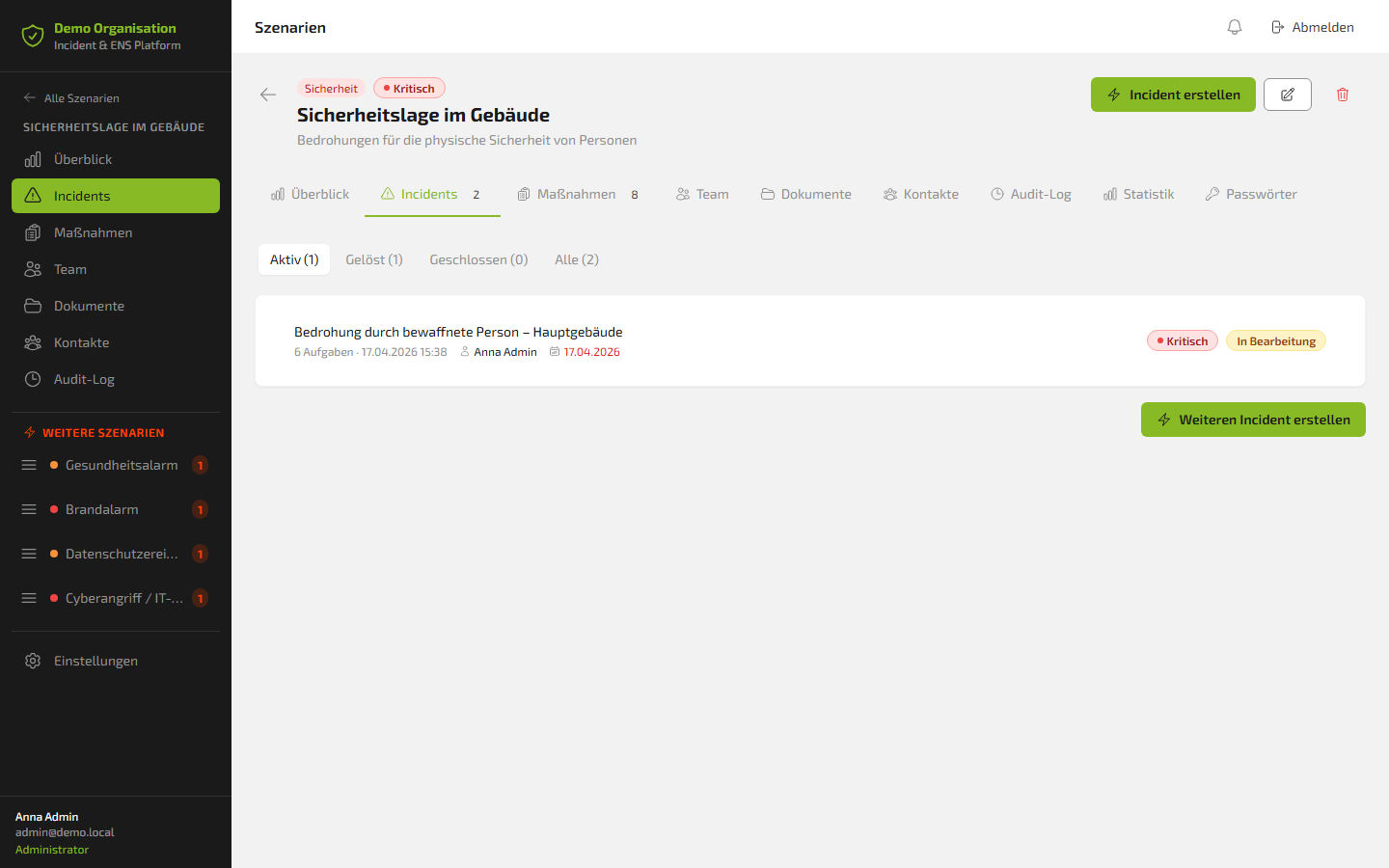
As soon as the "Building security situation" scenario is triggered, an incident is automatically created – with all master data, all tasks from the playbook and the full timestamp of activation. No manual creation. No forgotten steps.
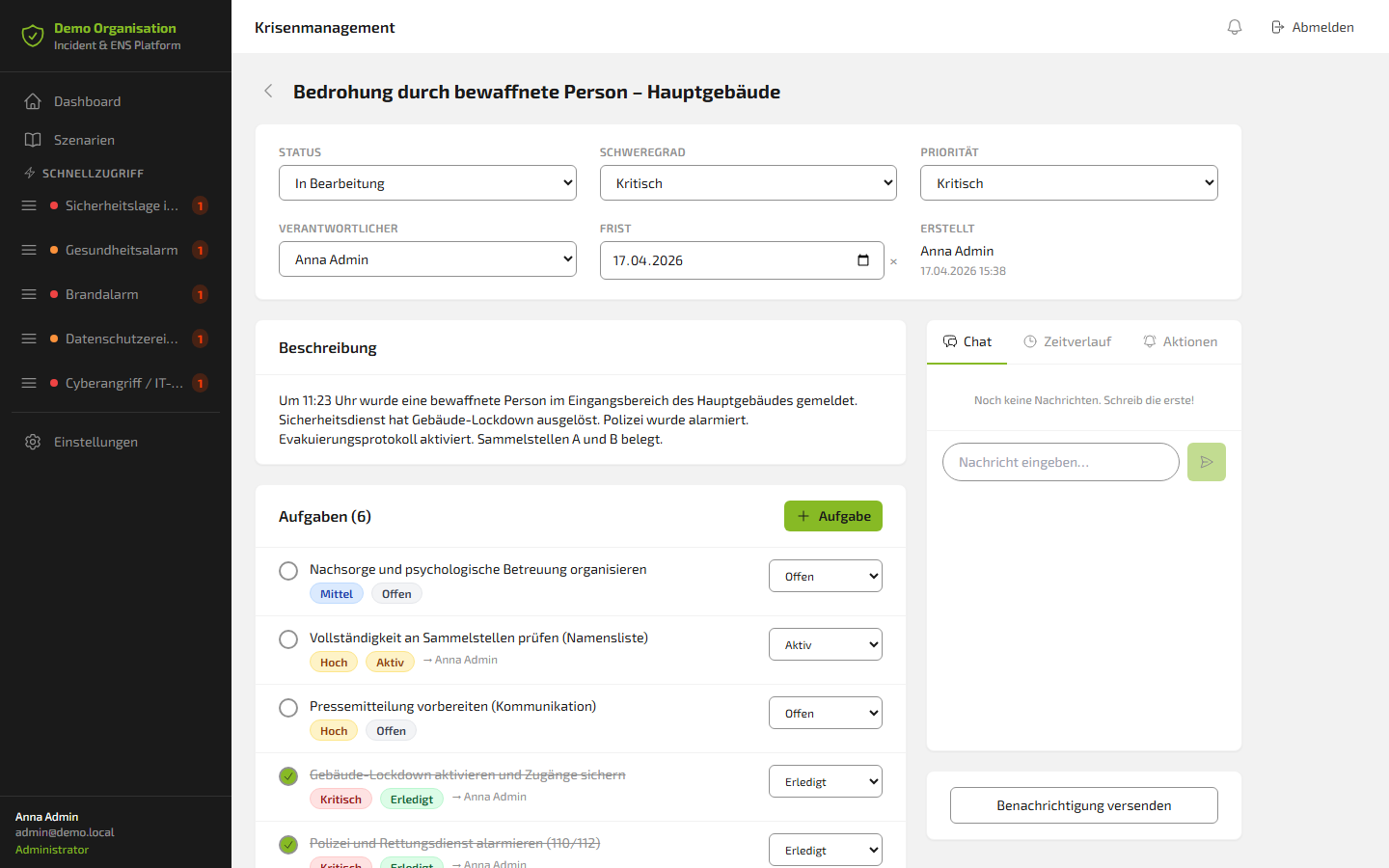
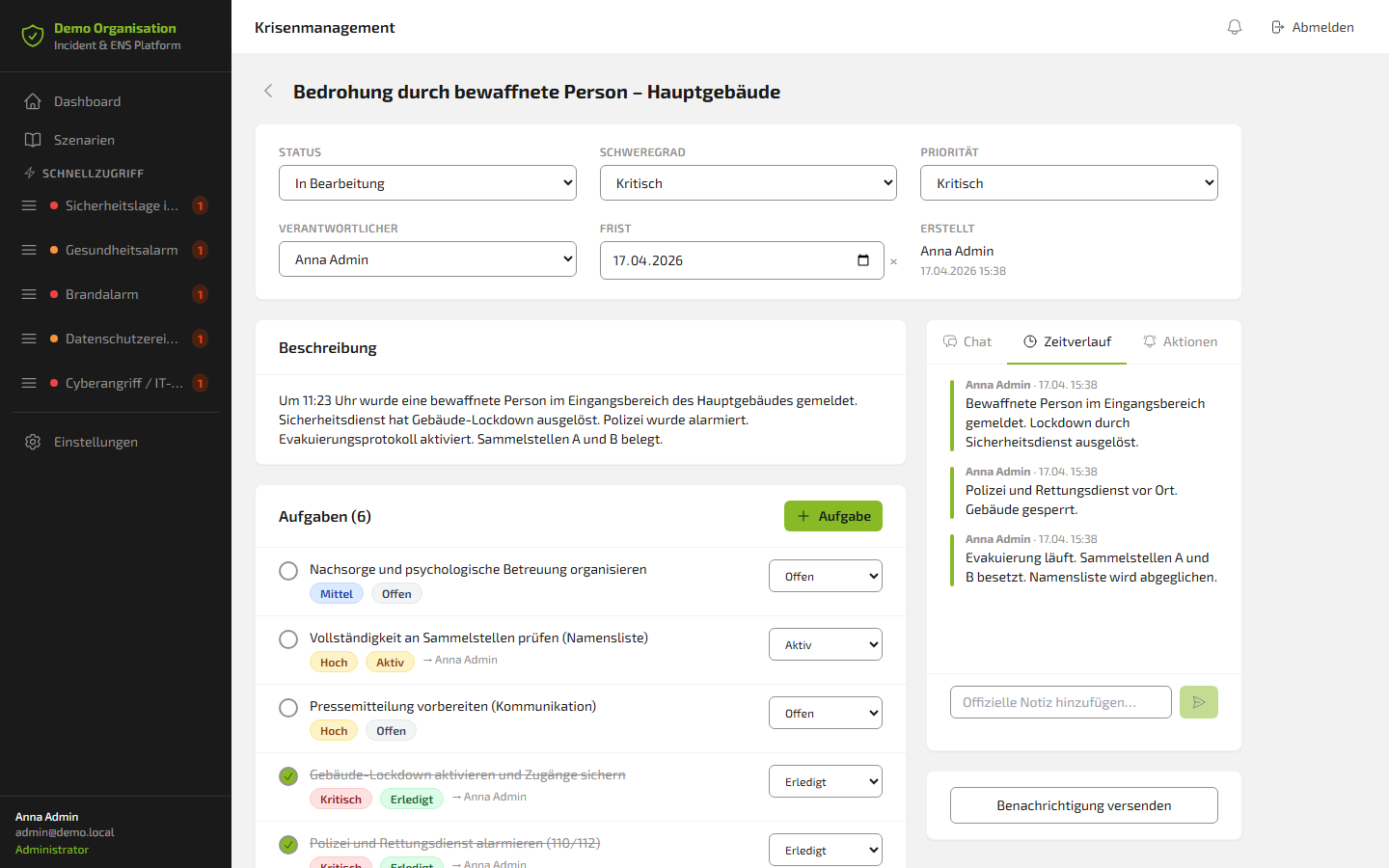
The incident detail view shows:
- Status: In progress
- Severity: Critical
- Priority: Critical
- Owner: Anna Admin
- Deadline: 17 April 2026
Description: "At 11:23 a.m., an armed person was reported in the entrance area of the main building. Security service has triggered the building lockdown. Police have been alerted. Evacuation protocol activated. Assembly points A and B in use."
The timeline: the gapless chain of evidence
Every action in the incident is automatically logged in the timeline – chronologically, with timestamp and user:
- 3:38 p.m. – Armed person reported. Lockdown triggered by security service.
- 3:38 p.m. – Police and emergency services on site. Building sealed off.
- 3:38 p.m. – Evacuation in progress. Assembly points A and B occupied. Name list being checked.
This timeline is not only operationally valuable. It is the gapless chain of evidence for regulatory reports, insurance claims, internal debriefs and external audits.
The team chat: communication stays in the system
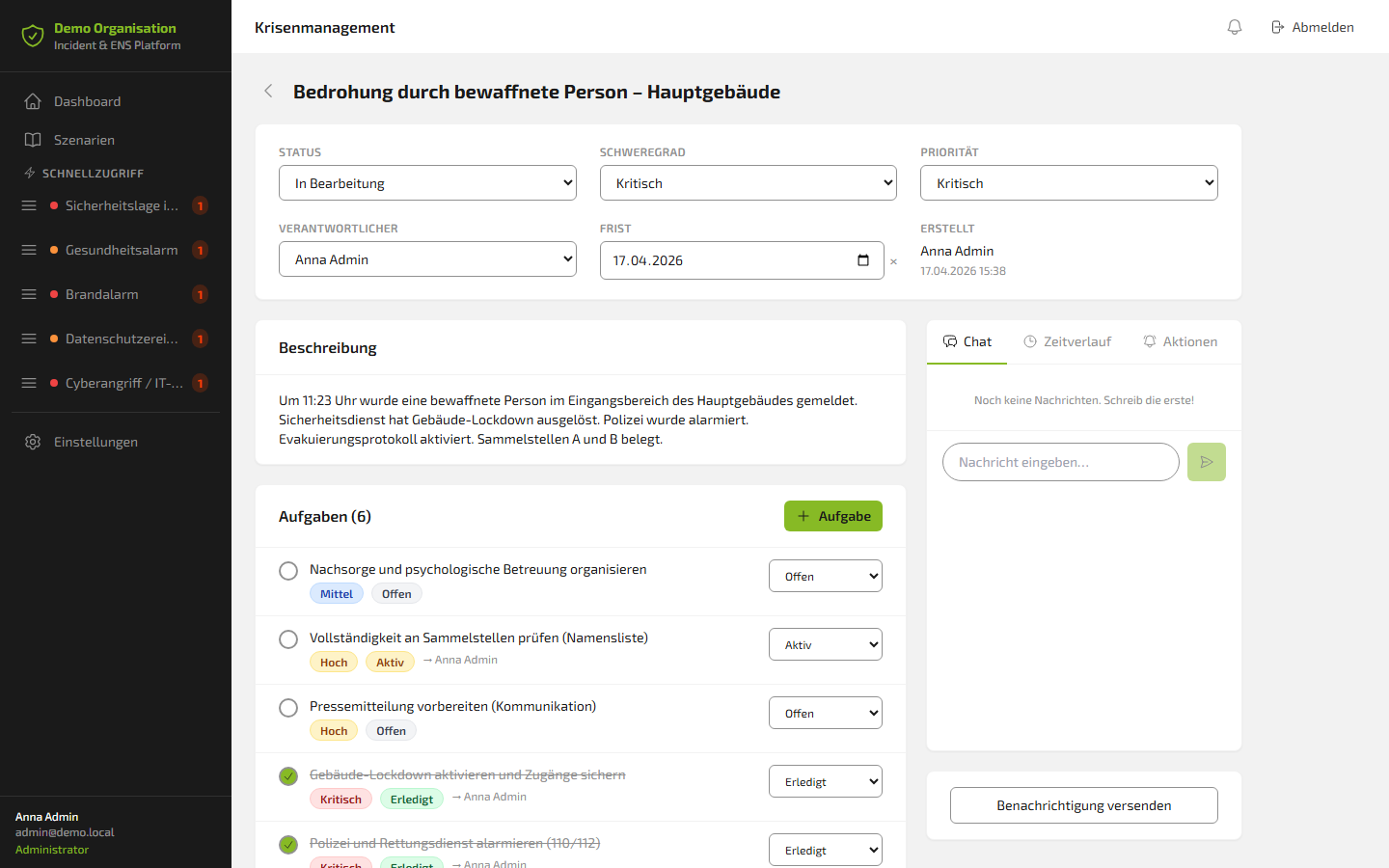
The integrated team chat enables real-time communication directly inside the incident. No switching to WhatsApp. No parallel email thread. No lost information.
Everything discussed in the chat stays in the system. Documented, traceable and as part of the incident record.
The integration that makes the difference: FLOWSTER × Stiller Alarm
This is the decisive moment.
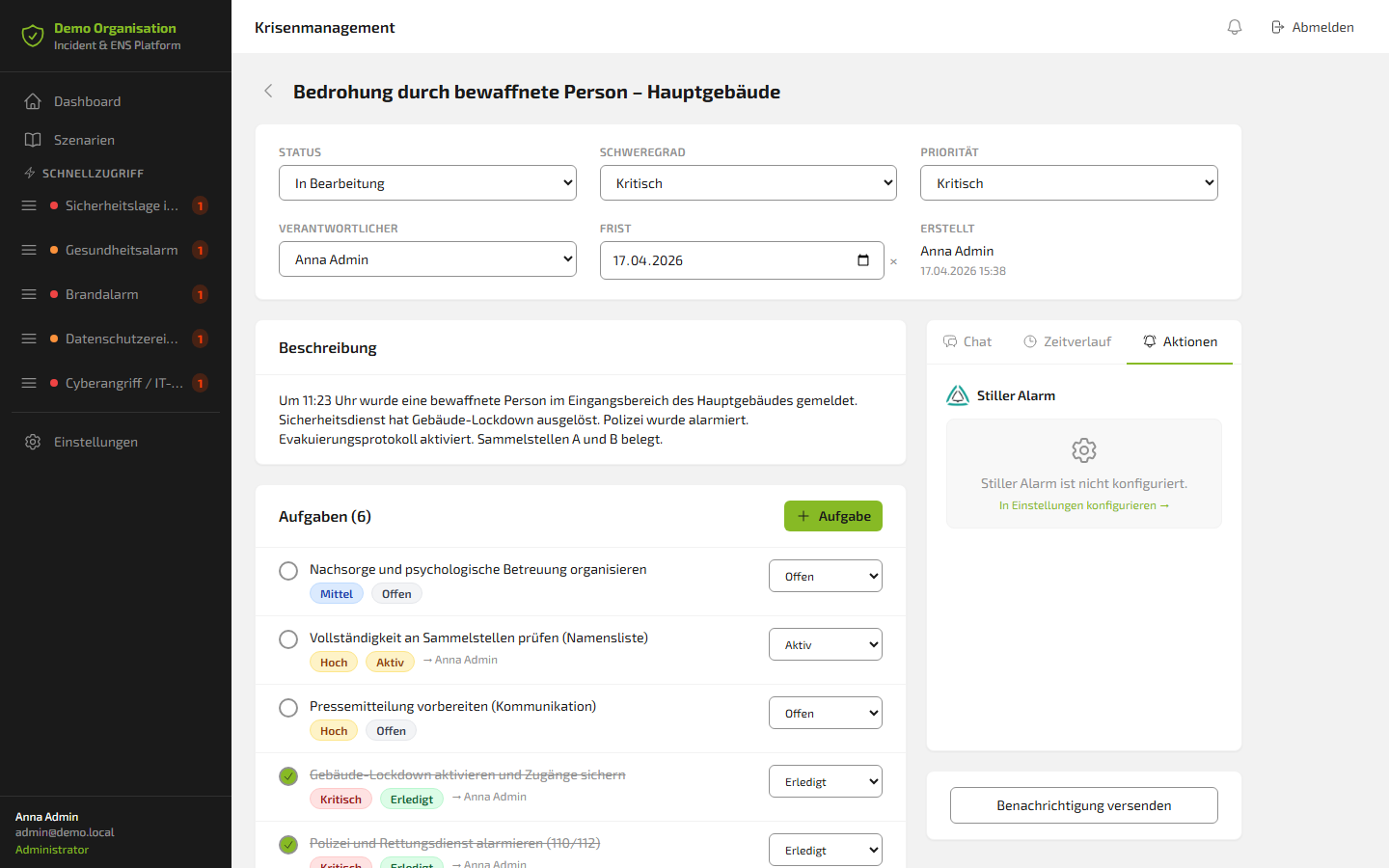
In the "Actions" tab of every incident, Stiller Alarm is integrated directly. With a single click, crisis managers can act straight from the running incident:
- 🔔 Trigger alarm – TriggerAlarm to the configured alarm definition
- ✅ Clear alarm – ClearAlarm, ends the active alerting
- ⚠️ Mark as false alarm – FlagAsFalseAlarm for retrospective classification
The result of every action – including the HTTP status code – is shown immediately and automatically logged in the timeline. No system switching. No manual documentation. Everything in one.
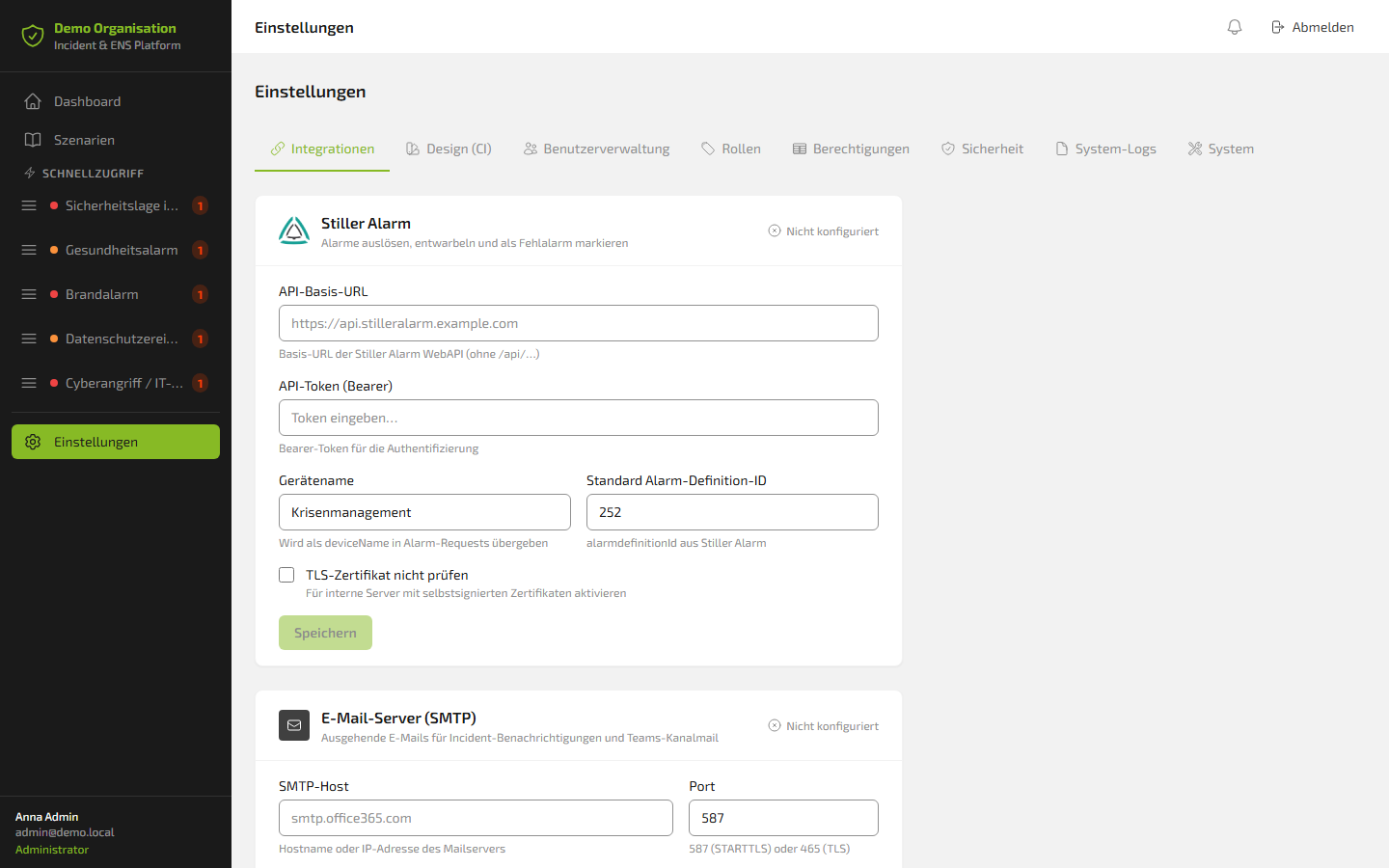
The one-time configuration is done under Settings → Integrations:
- API base URL of the Stiller Alarm WebAPI
- Bearer token for authentication
- Device name (e.g. "Crisis Management")
- Default alarm definition ID
Once set up, permanently available. In every incident, with a single click.
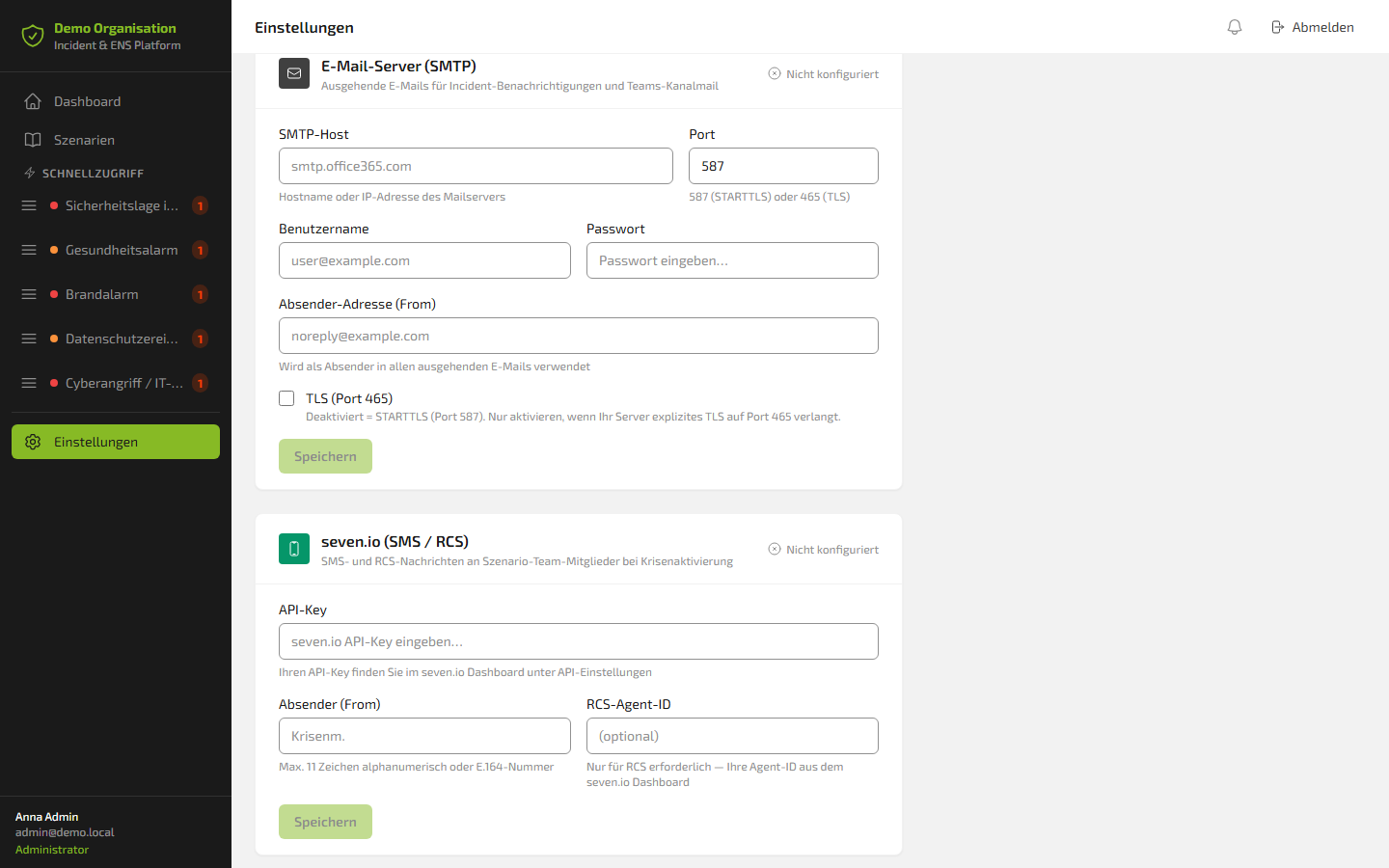
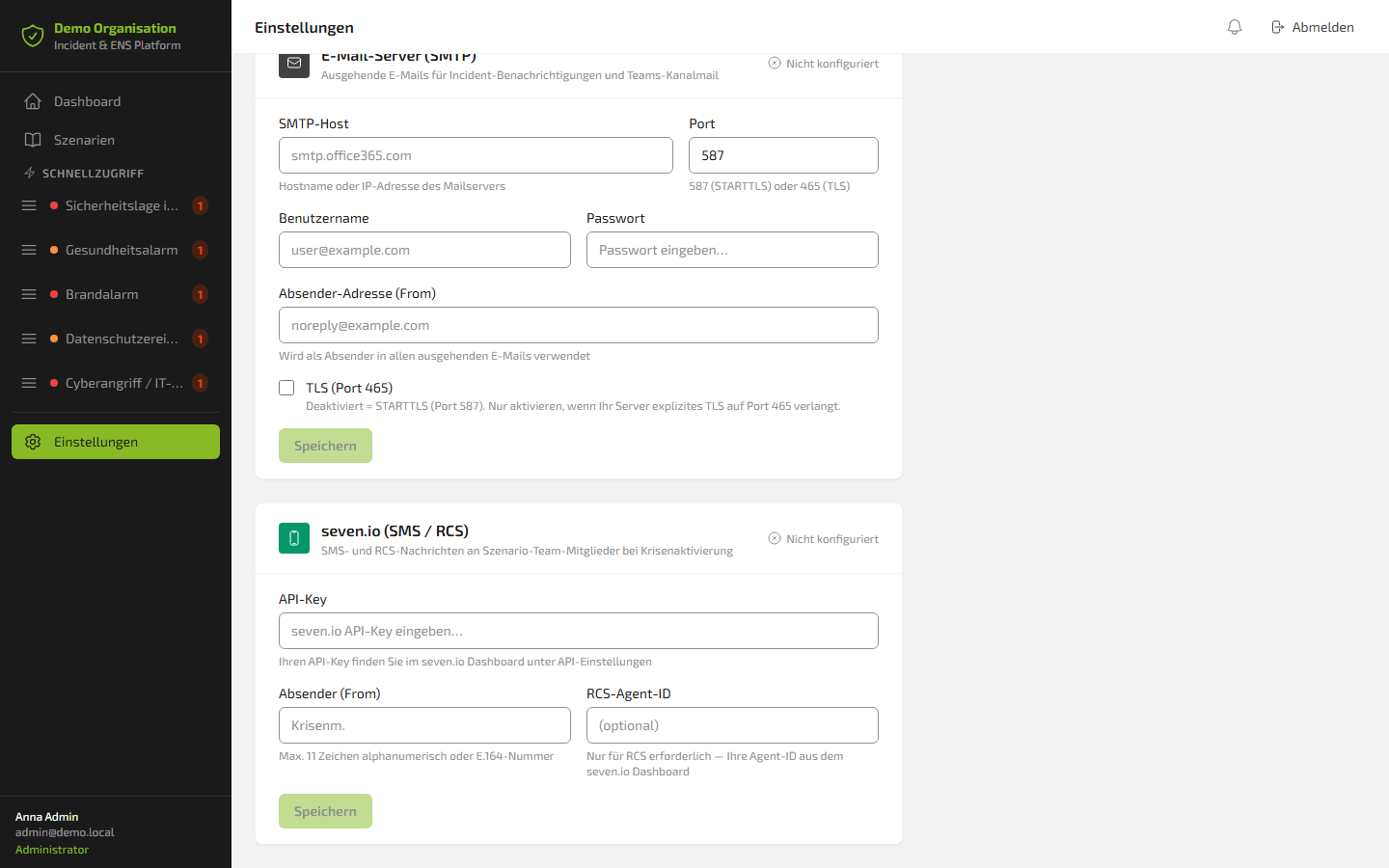
Notifications: all channels, one system
The platform supports three notification channels that can be used in parallel or in combination:
📧 Email via SMTP
Automatic notifications to the scenario team on trigger. Compatible with Office 365, Exchange and all standard mail servers (STARTTLS port 587 or TLS port 465).
💬 Microsoft Teams
Three methods to choose from: Incoming Webhook, app registration via Graph API (Azure AD) or channel email via configured SMTP server.
📱 SMS / RCS via seven.io
Crisis team members are reached directly on their mobile phone via SMS or modern RCS, configurable through an API key.
Governance & lessons learned: statistics and audit log
After every crisis comes the follow-up. The platform delivers two powerful tools for this:
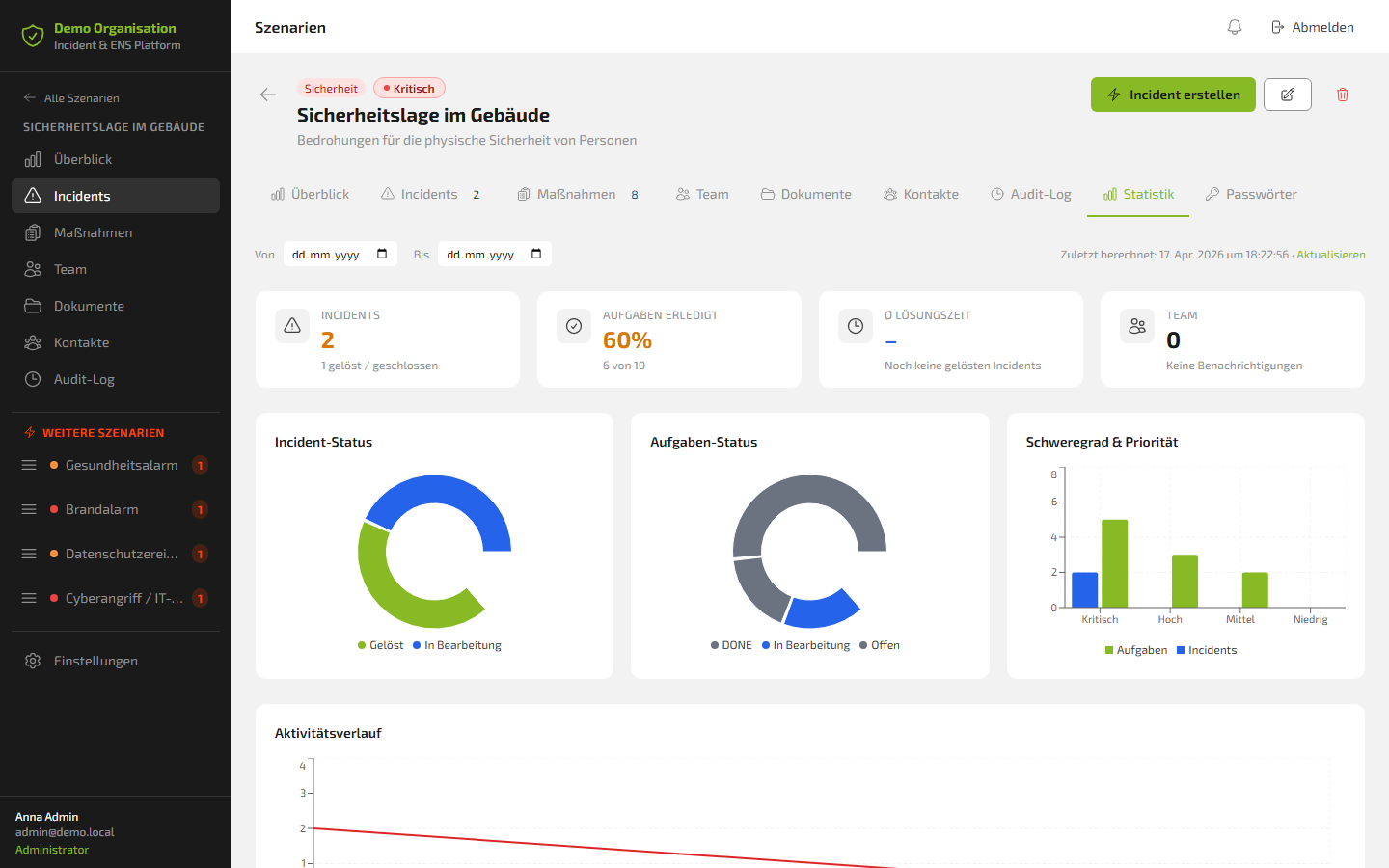
📈 Statistics tab
For each scenario, historical key figures are visualized:
- Incident status (Resolved / In progress)
- Task status (Done / In progress / Open)
- Severity & priority (Critical / High / Medium / Low)
- Activity progression over time
In the example scenario: 2 incidents, 1 of which resolved/closed – 60% of tasks completed (6 out of 10).
🔍 Audit log
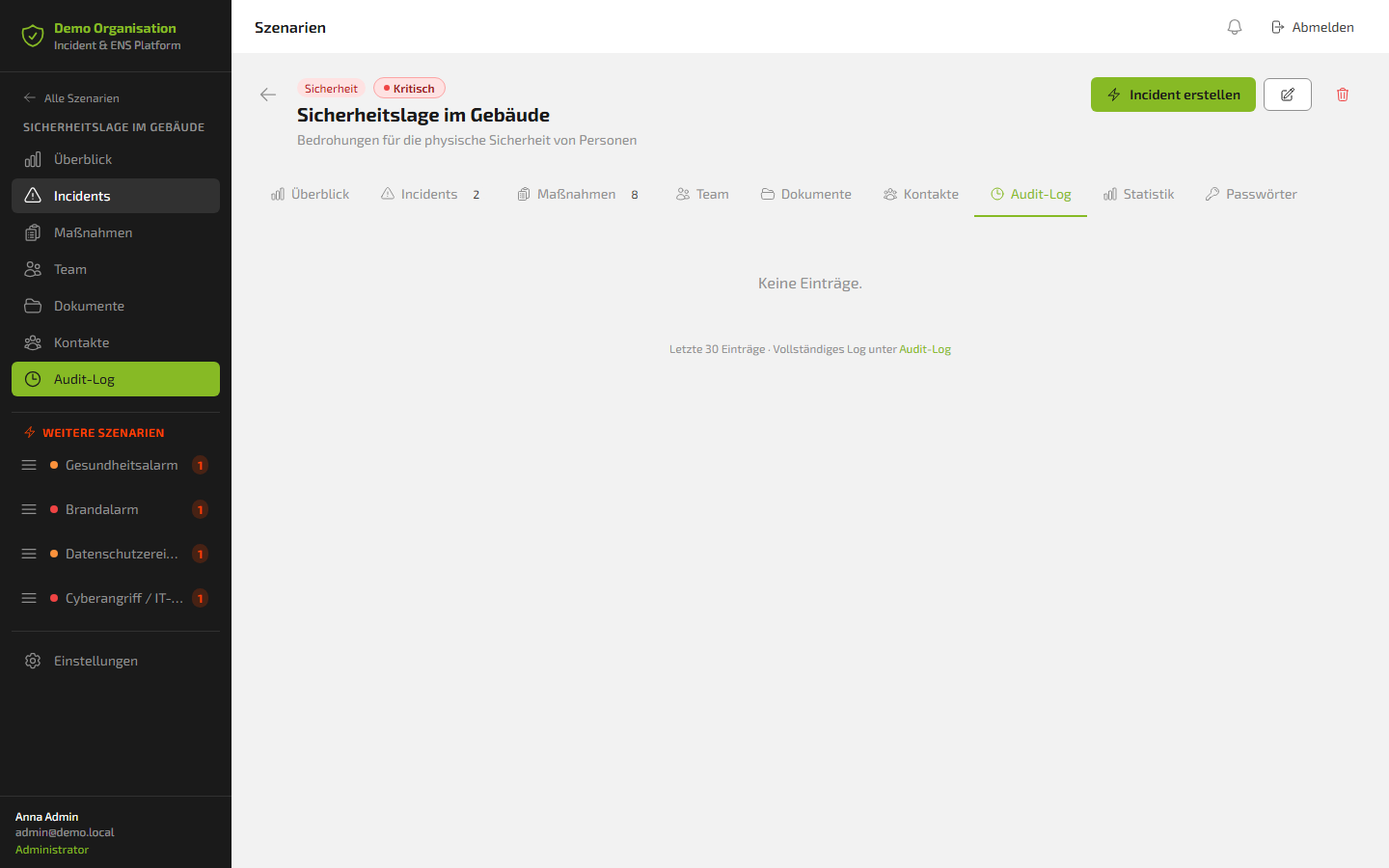
Gapless, ISO 27001-compliant logging of all actions in the system. Read-only, non-deletable. Visible only to administrators. Every change, every notification and every status update is permanently documented. This creates a reliable foundation for regulatory reports, external audits and internal debriefs.
Administration: enterprise-ready from day one
The platform is designed with a complete administration framework for enterprise use:
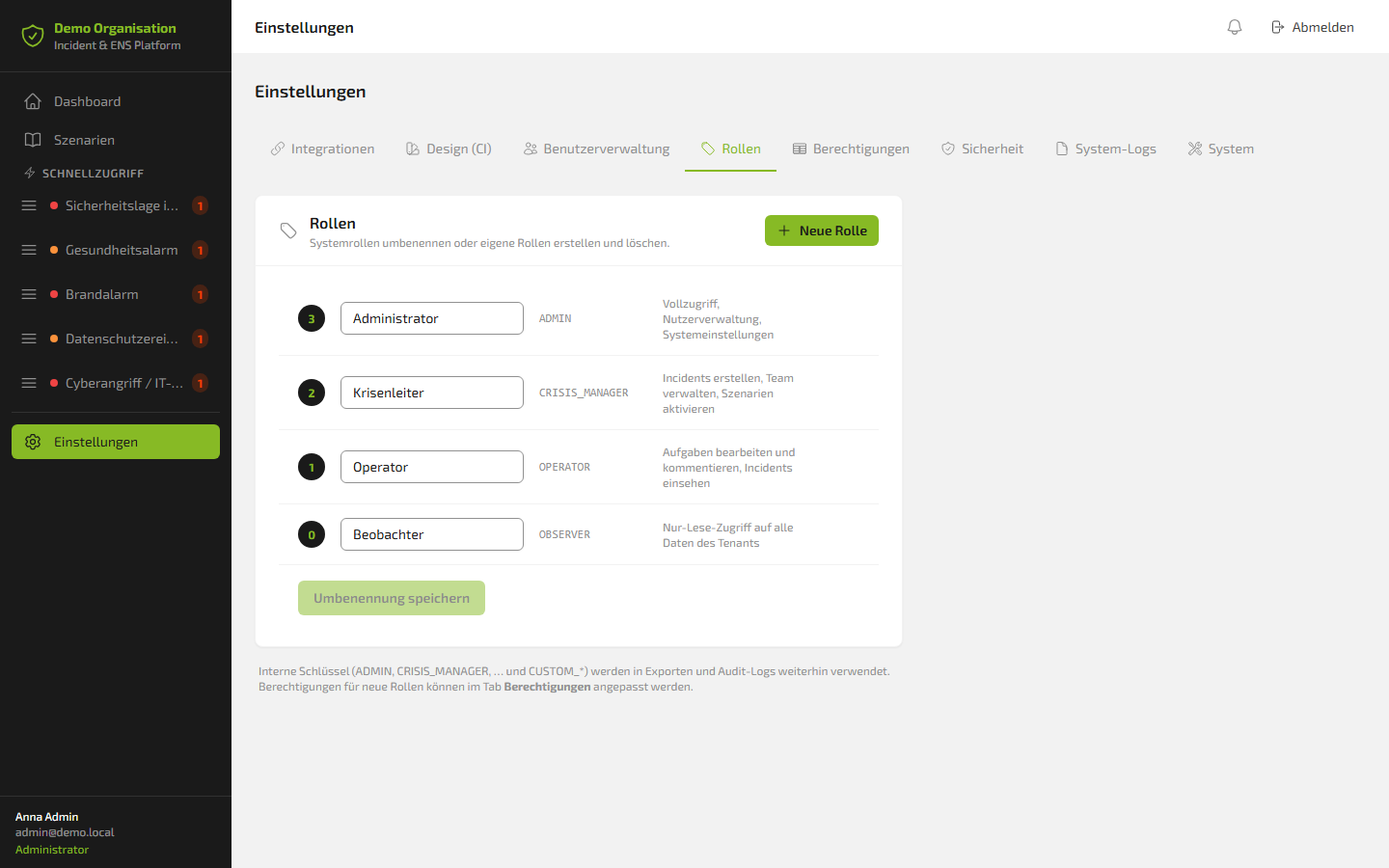
Role model
| Role | System name | Permissions |
|---|---|---|
| Administrator | ADMIN | Full access, user management, system settings |
| Crisis Manager | CRISIS_MANAGER | Create incidents, manage team, activate scenarios |
| Operator | OPERATOR | Edit and comment on tasks, view incidents |
| Observer | OBSERVER | Read-only access to all data |
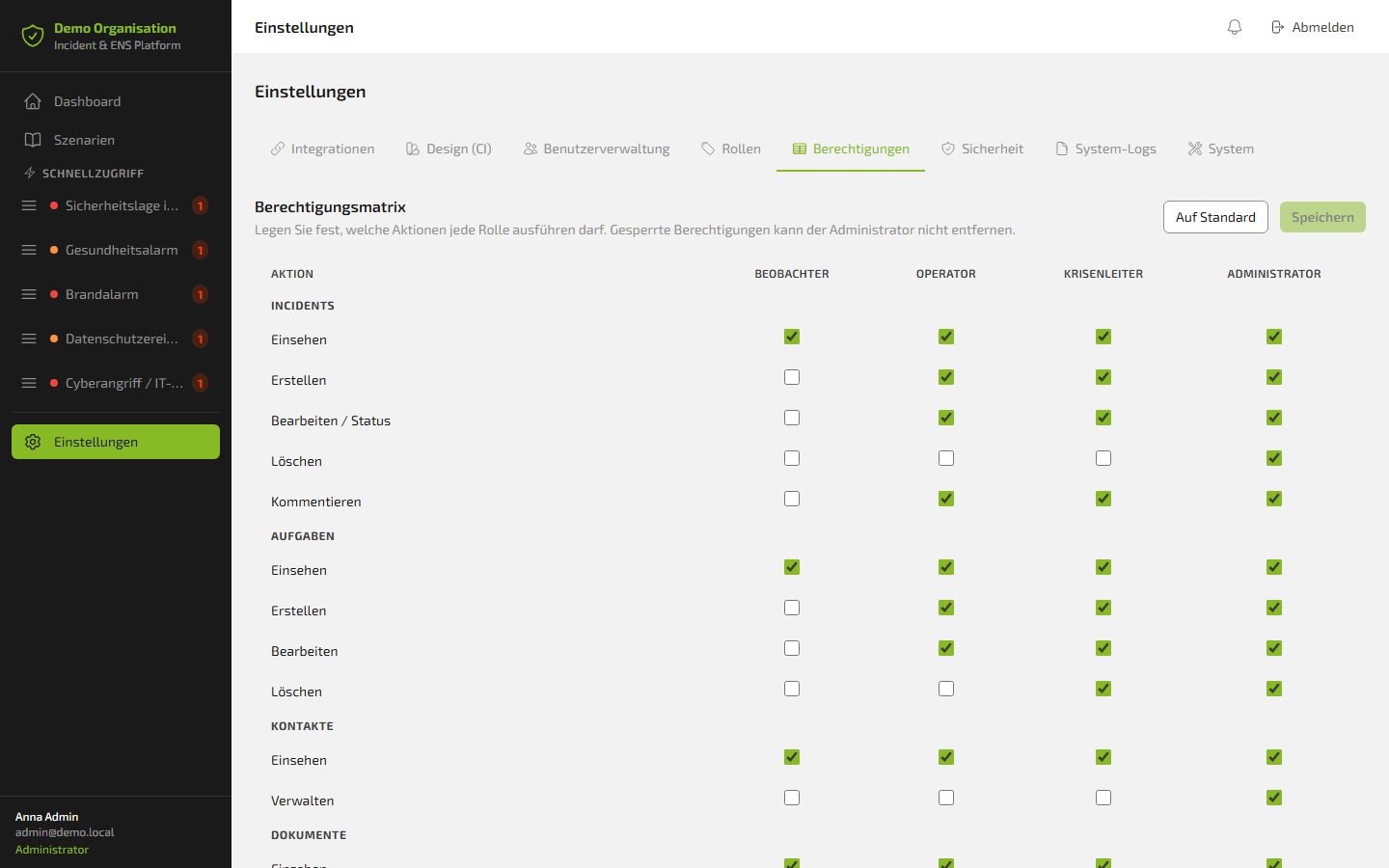
Permission matrix
The permission matrix controls in detail which role is allowed to perform which actions. Incidents, tasks, contacts and documents can be configured separately. Locked permissions cannot be removed accidentally.
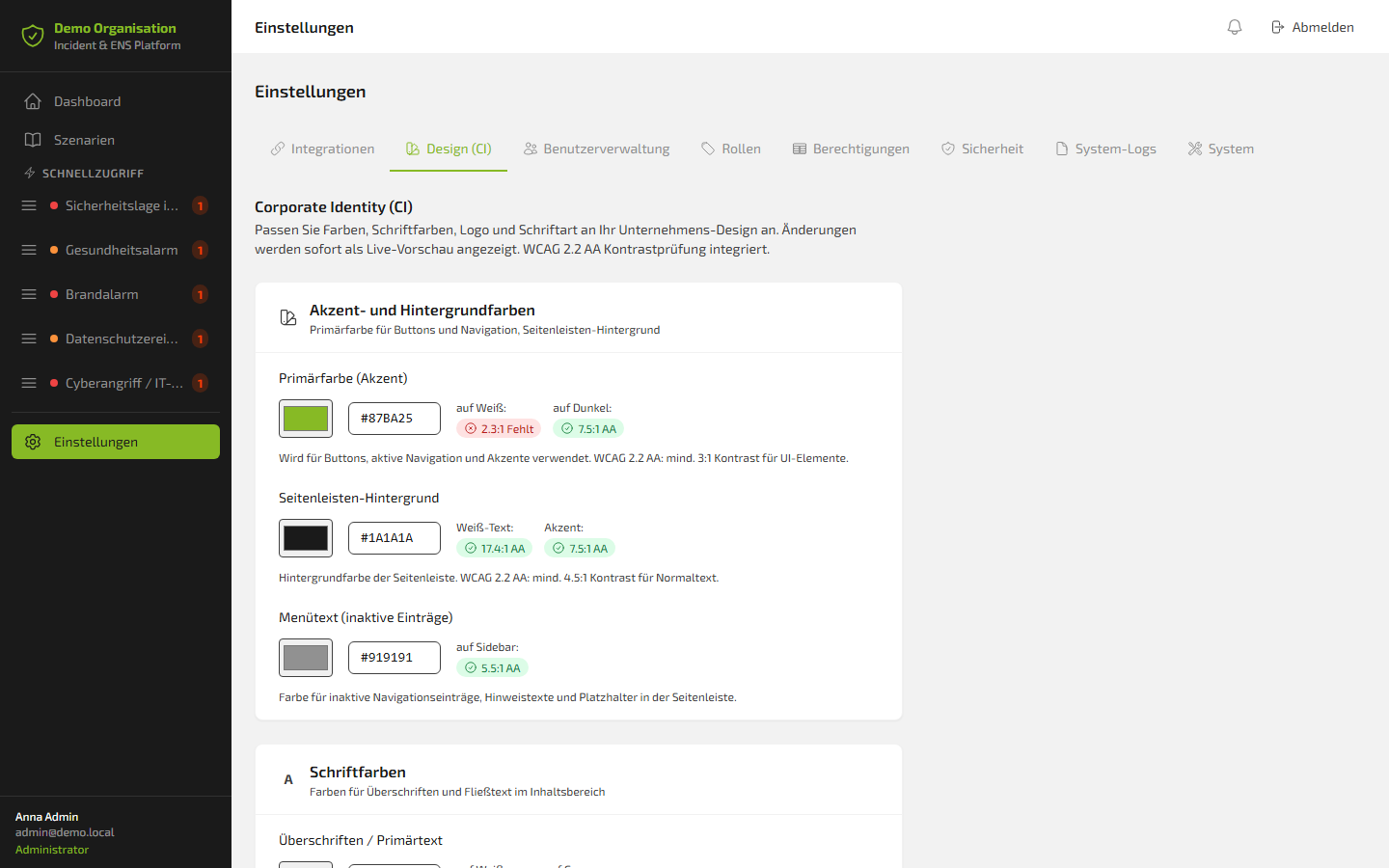
Corporate identity
The platform fully adapts to your corporate design: primary colour, sidebar background, font, logo – all configurable. WCAG 2.2 AA contrast checking is built in and shows in real time whether the chosen colours meet the accessibility standard.
Security
Two-factor authentication (MFA) via TOTP – compatible with Google Authenticator, Aegis and all common apps.
System logs
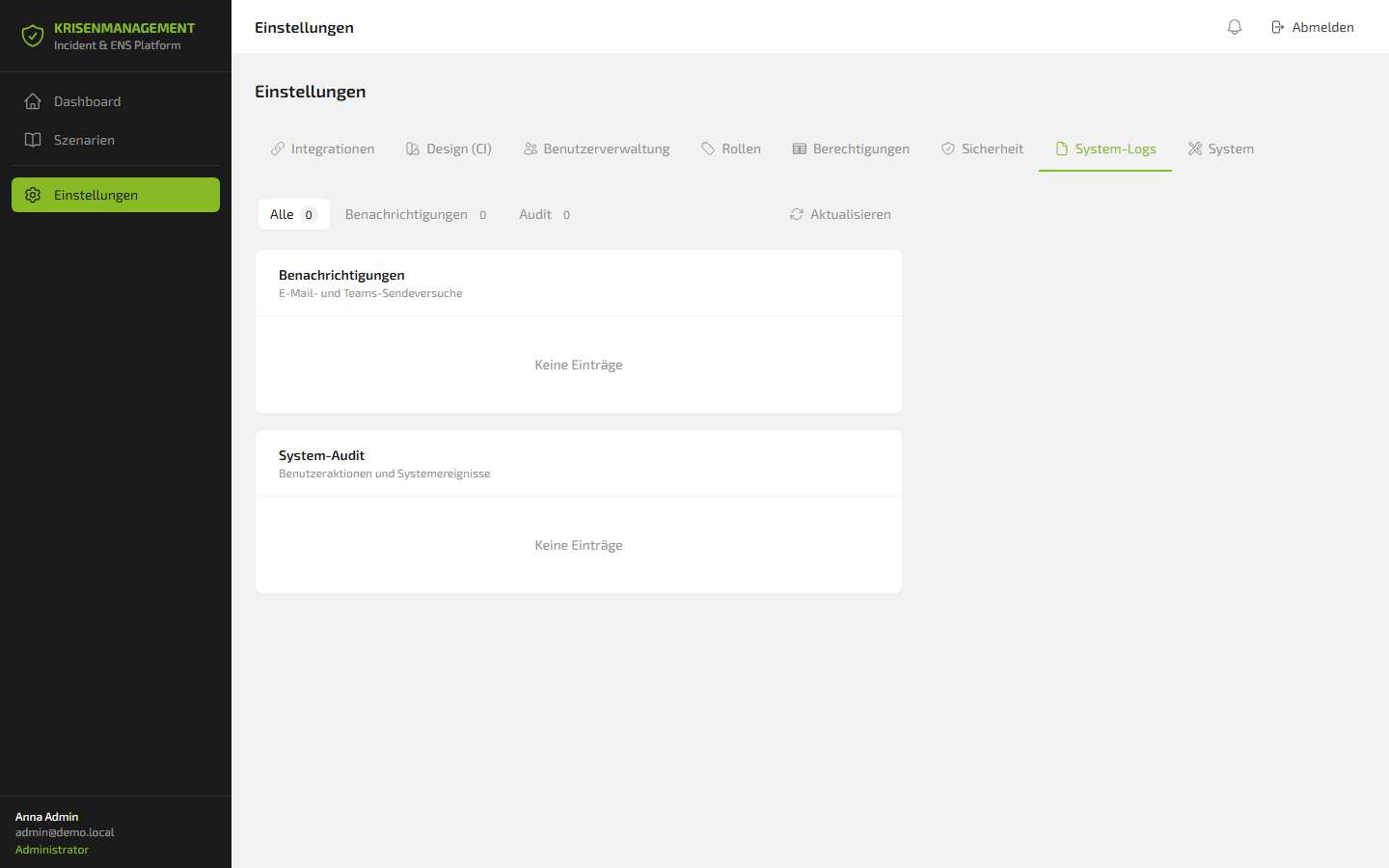
Complete logging of all email and Teams send attempts as well as all user actions in the system audit. For technical troubleshooting and compliance evidence.
Test data generator
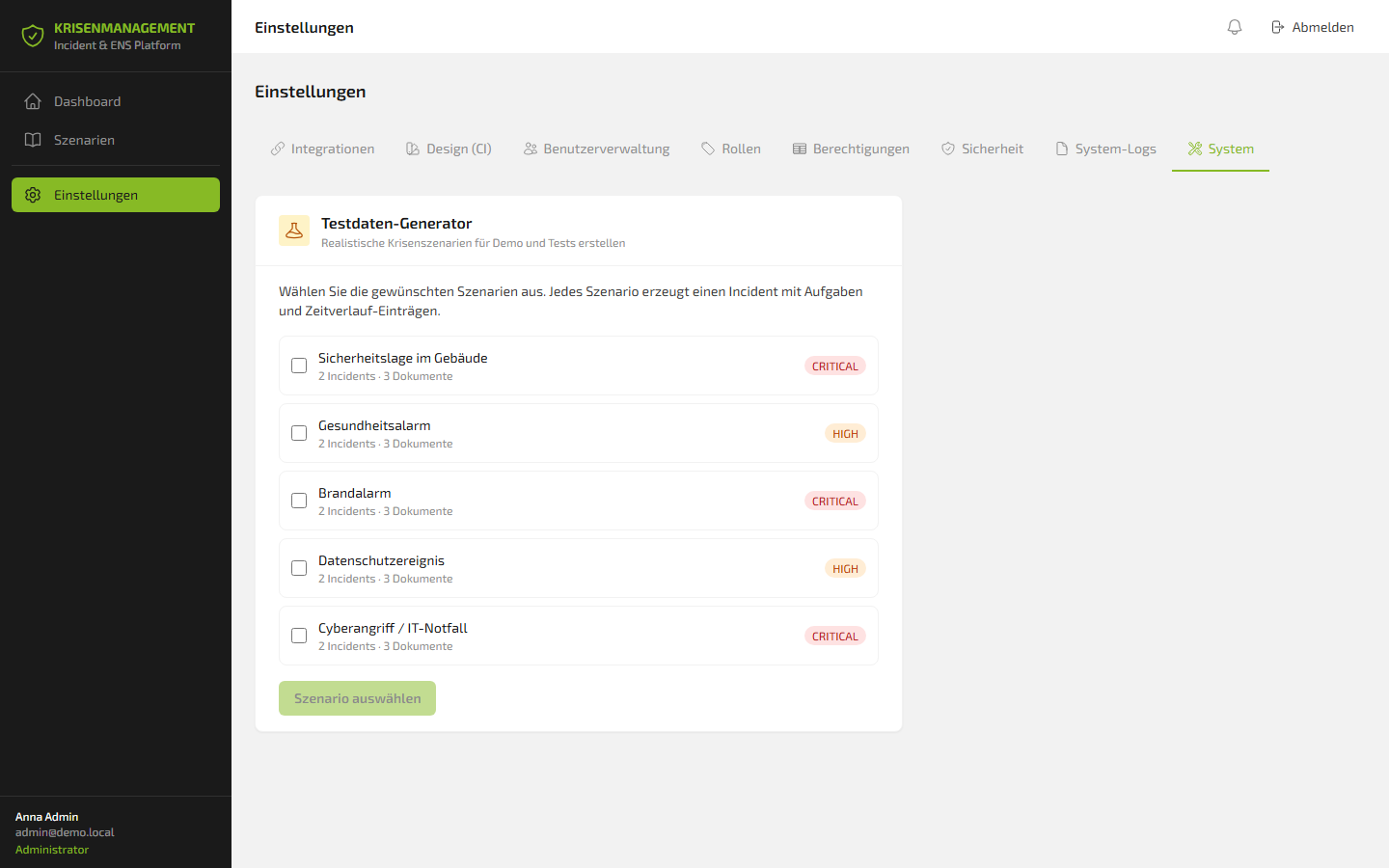
The test data generator creates realistic crisis scenarios for demos and testing without affecting production data. All five scenarios are available in the generator, each with 2 incidents and 3 documents. Ideal for emergency drills, onboarding and training.
Team overview
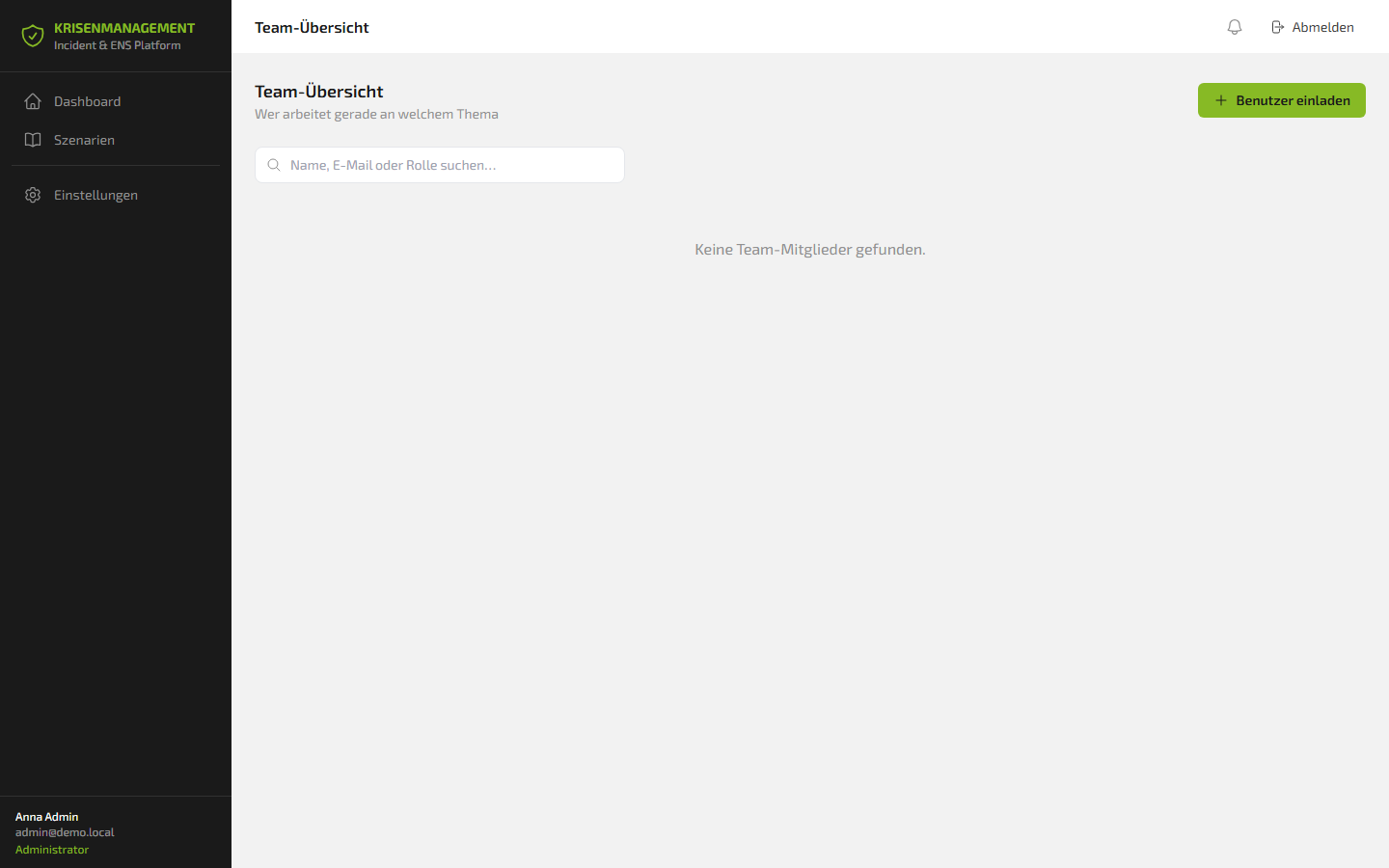
The central team overview shows who is currently working on what – with a search function by name, email or role. New users can be added directly via invitation.
Conclusion: crisis management is not optional, it is a decision
Crises don't come with advance notice. In seconds, they test whether an organization is truly prepared – or only believes it is.
The question is not: "Will this ever hit us?"
The question is: "What happens when it hits us and we are not prepared?"
The FLOWSTER Crisis Management Platform combined with Stiller Alarm gives organizations the tools to act structured instead of chaotic, fast instead of hesitant, documented instead of uncontrolled in an emergency.
- Five ready-to-use crisis scenarios
- Automatic incident creation with playbook tasks
- Real-time coordination via chat, Teams and SMS
- Direct Stiller Alarm control from inside the incident
- Gapless documentation for compliance and governance
- Enterprise roles, MFA, WCAG-compliant design
- Made in Germany. GDPR-compliant. ISO 27001-ready.